 Figma
 API
 Web to code extension
 Adobe XD
 Discord
 Twitter
 GitHub


 Blog

How to Publish a Website with NanoClaw: Build and Deploy Safely10 min read
Reading Time: 7 minutesNanoClaw does not host websites or provide a universal Publish button. It runs agents in isolated containers that can help write and test site files. To put those files on the web, choose an external host, authorize a deploy, and verify the resulting public URL. An optional Vercel skill can add a deployment capability to selected installations, but it is not the same as NanoClaw hosting your site.
Here is a practical route for a photographer portfolio: scope a safe workspace, request a small static site, inspect the source and preview, then move one approved build to production. If your project needs bookings, accounts, or a database, design and test that additional infrastructure separately rather than assuming a static page supplies it.
How to publish a website with NanoClaw and AgentGrid.io
NanoClaw is a personal assistant that runs in containers and can work with files in its own environment. That makes a local draft convenient, but it does not make AgentGrid.io a native NanoClaw destination. Treat the handoff as an explicit file transfer unless you have separately configured and tested a compatible connection. The goal is a reviewable artifact with a human release decision, not an unattended publishing pipeline.
1. Establish the AgentGrid workspace
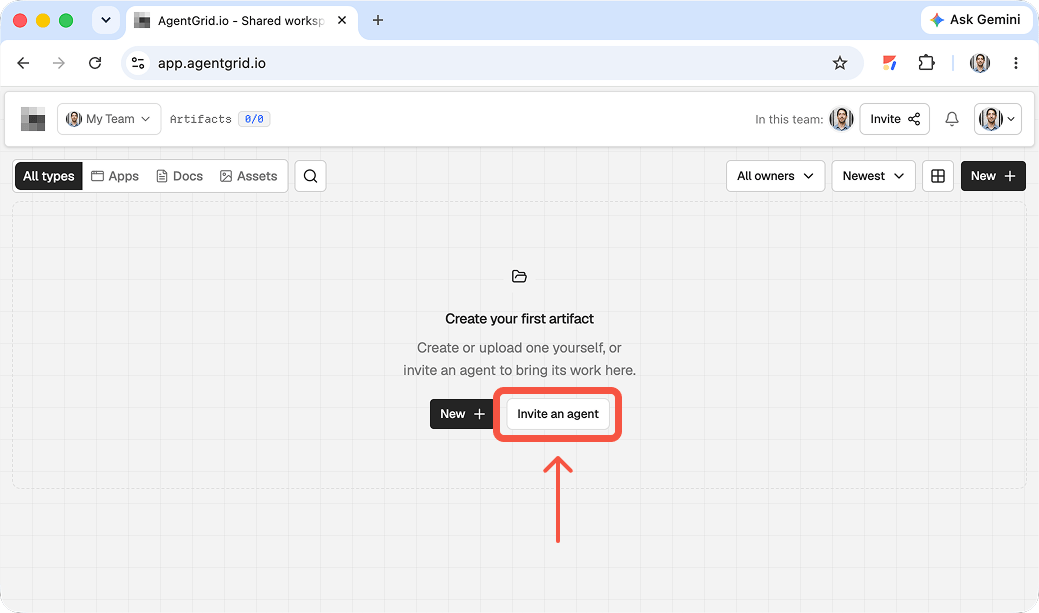
Create or select the AgentGrid workspace for the project and confirm that the reviewers belong to the appropriate team. Decide whether NanoClaw should be connected at all. AgentGrid documents an invite flow for agents, but that invitation does not establish that NanoClaw ships with an AgentGrid integration. For the simplest route, do not invite NanoClaw: have a human collect its output and import it. If you experiment with an agent connection, follow both products’ documented setup, use only needed access, and test with a non-sensitive artifact first.
Write down the intended deliverable before asking the assistant to build it. For example: a one-page event microsite, with final copy, an image-credit note, and a list of assumptions. Keep private messages and local configuration out of that brief and out of the upload.
2. Bring over a bounded artifact
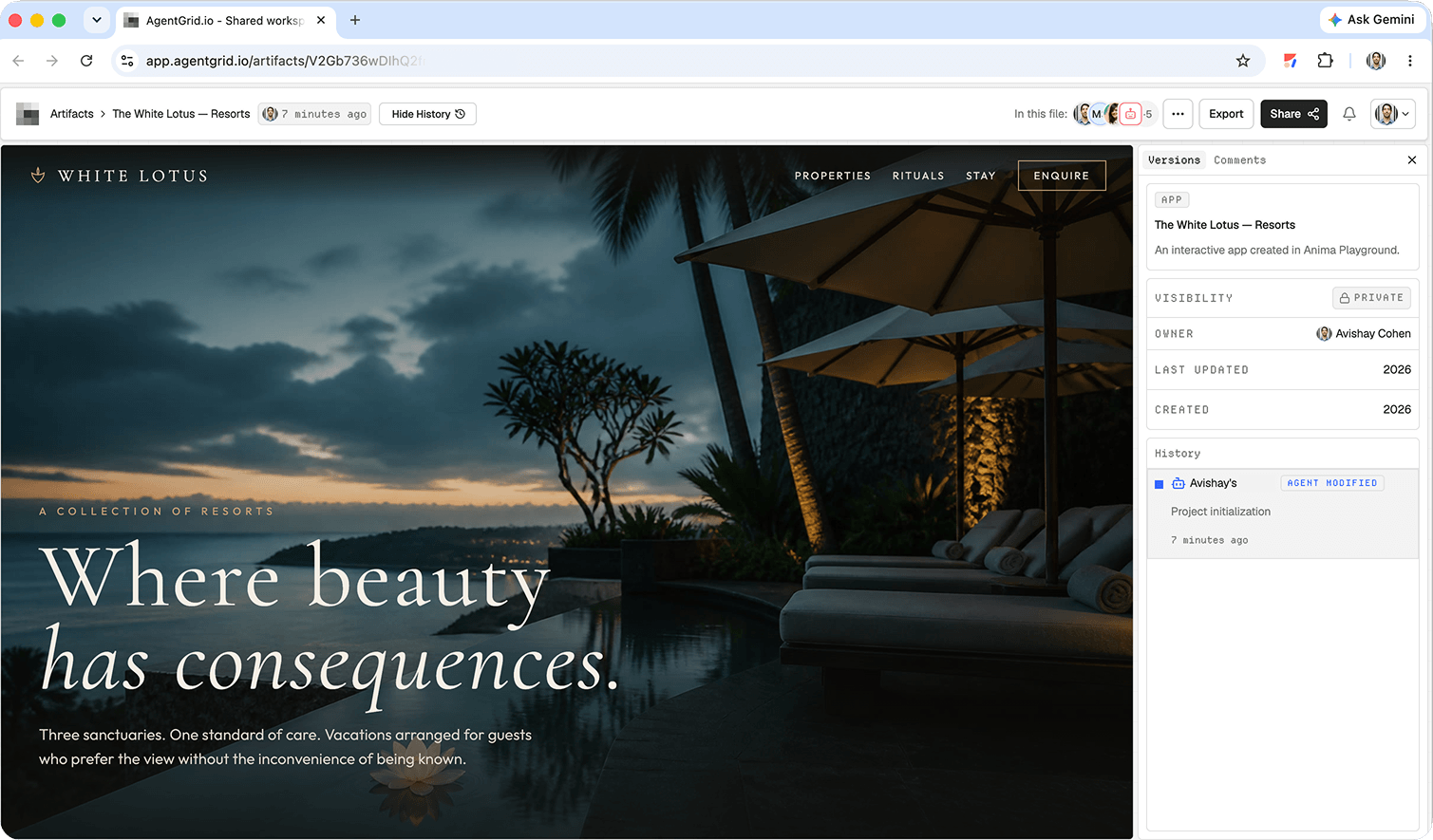
Ask NanoClaw to prepare the deliverable as ordinary files in the location you intentionally make available to it. Review the files locally before transfer. For a web page, bundle the HTML, CSS, JavaScript, and required assets into a ZIP, then use AgentGrid’s ZIP import. For a prose deliverable, import a supported document or create an AgentGrid document and paste the approved draft. Open the new artifact and check for missing images, broken links, accidental secrets, and claims that came from chat context rather than a verified source. This is a manual import, not automatic NanoClaw synchronization.
3. Route feedback to the artifact
Send a teammate to the AgentGrid artifact, not the private NanoClaw conversation. Have them comment on the specific preview or document: where is the CTA unclear, which statement needs a source, and what would stop release? AgentGrid’s comments provide a shared review surface. Revise the AgentGrid artifact directly when possible. Reimporting local files makes a new artifact, so give reviewers its new link. Copies do not stay in sync.
4. Publish after an explicit human check
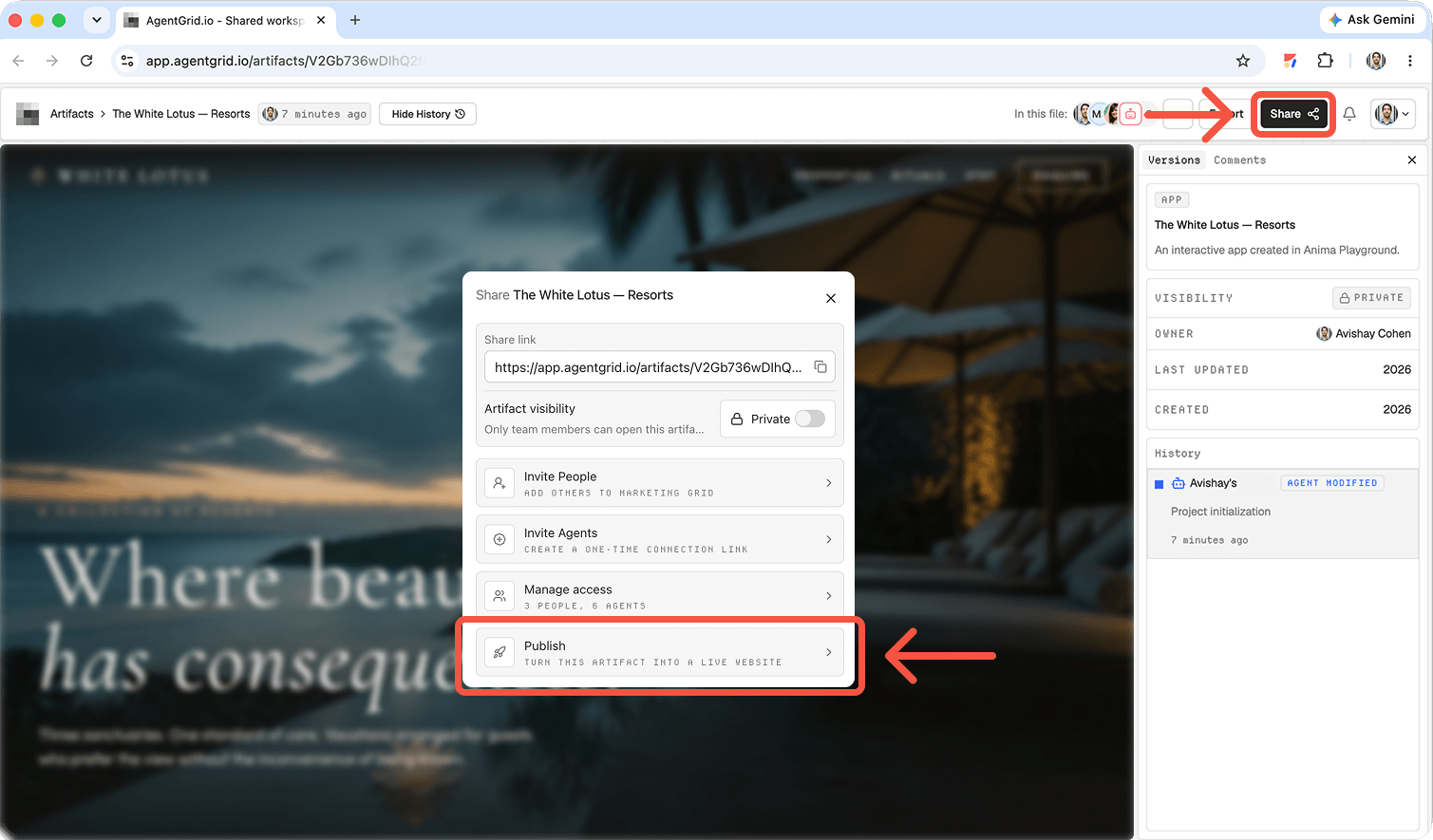
Have the owner check the final artifact, approve its public scope, and then use AgentGrid’s publish action. Open the published page outside the workspace to verify the actual visitor view. If another NanoClaw run changes the local files or you edit the workspace artifact later, the published version does not automatically follow; repeat the review and publish process for the new version. Keep the decision to expose work publicly with a person.
Start with a project and a safe workspace
Say you want a portfolio for a freelance photographer. Prepare a project folder with approved images, captions, contact details, and a brief. NanoClaw’s official repository describes a self-hosted agent that runs sessions in isolated containers; its setup instructions explain how to install it and pair a messaging channel. This is agent setup, not website deployment.
Give the agent access only to the project files it needs. Keep production credentials, payment keys, and domain registrar access out of the working folder. If the agent cannot read the files, inspect its allowed workspace or mounts rather than broadening access to your whole machine. Choose a static site unless your brief actually needs a database, accounts, or server behavior.
Set up the agent without opening your whole machine
The NanoClaw repository describes setup through its installation script, a paired communication channel, and per-agent container isolation. The container sees only explicitly mounted paths. Put approved portfolio images and copy in a bounded project directory, then allow the appropriate agent to use that directory. If it cannot access a file, inspect the configured mounts; do not solve the issue by granting access to your home directory or a folder of production secrets.
Prompt: Create a responsive static portfolio website from the approved images and copy in this project folder. Include a gallery, about page, contact details, image alt text, descriptive page titles, and a clear inquiry link. Do not use external photos or invent client testimonials. Save the source files here, explain how to preview locally, and do not deploy.
Review the generated site before any deploy
Ask for the file tree, build instructions, and location of the generated output. Run the project locally or ask a developer to do it. Check phone and desktop layouts, image loading, navigation, forms, and broken links. Validate accessibility basics and metadata. A chat message saying the site is ready does not prove a production build passed.
Keep a copy of the source in version control if that fits your team’s workflow. Check what files the agent changed and make sure it did not commit secrets, unlicensed images, or unexpected dependencies. If the contact action uses email rather than a working form backend, describe it accurately to the photographer. A static design with a fake submit button is not a functioning contact channel.
Prompt: Run the project’s documented build and report the exact command and result. Fix broken links and mobile overflow, then show me the changed files. Do not upload files, push to a repository, or publish anything without my separate approval.
Use a concrete website QA checklist
- Run the documented install and build commands in the project environment; save the actual output and errors.
- Open the local preview at desktop and mobile widths, and test gallery images, menus, and every inquiry link.
- Check keyboard focus, alternative text, heading structure, and readable contrast.
- Confirm each page title and description say what the page offers, without copying the same metadata everywhere.
- Inspect changed files for credentials, surprise dependencies, copied text, and assets with unclear usage rights.
Choose an external publishing route
For a static site, use a host that accepts your framework’s build output or a connected Git repository. A developer can configure the host, build command, output directory, environment variables, and domain. Then make a production deployment and open its public URL to verify the actual content. NanoClaw itself is not the hosting provider; a running agent on your laptop or server is not the same thing as a public website.
NanoClaw’s skills catalog lists optional /add-vercel tooling for equipping selected agents with Vercel capabilities. That is an external deployment capability, not a built-in NanoClaw Publish screen, and it is not present in every installation. Follow the current skill instructions and authorize the specific agent and project before asking for a deploy. You can instead deploy reviewed files yourself through a host’s dashboard or CI pipeline.
Prompt: I have approved the reviewed build in [project path]. If this agent has authorized Vercel tooling, deploy only this project to the specified account and project, then return the deployment URL and status. If the integration is unavailable, stop and give me the build output and manual deployment steps. Do not change domain DNS.
After deployment, test the public page from a separate browser, verify the domain and HTTPS, and open each CTA. Record the deployed revision so you can roll back. A link to a local preview, a repository, or an agent chat is not a substitute for a public deployment URL.
Native agent capability versus external deployment
The current NanoClaw skills catalog lists /add-vercel as a tool-install skill that equips selected agents with Vercel CLI access and credential injection. It is optional. Check which agent has the skill, which account it reaches, and what project will receive the build before asking for a production action. A CLI skill does not create a NanoClaw-owned hosting service.
How does this compare with an artifact handoff?
If a marketer and a developer must both review the same draft, a shared artifact can make the handoff clearer, provided you explicitly import or connect the work and check permissions. The Muse publishing walkthrough shows that separate review-and-publish pattern. Read why human-agent work needs a shared home and how to share a file between two assistants. None of those articles establishes a native NanoClaw-to-AgentGrid integration or automatically moves your files there.
For a shared review path, you can manually import a suitable folder or ZIP into AgentGrid.io, which creates a separate app artifact with its own history and access controls. Keep the photographer’s source, images, and entry point together; leave out dependencies and secrets. Check that the rendered artifact matches the local preview. A fresh import will not sync subsequent local edits to the earlier artifact.
Common launch mistakes to avoid
Confusing chat output with a deploy: A message containing code or a local URL is not a hosted site. Require a public address and verify it in a signed-out browser.
Widening access to make the build work: Container mounts and deployment credentials solve different problems. Give the builder only project files, and authorize a deployment identity only when the production target is known.
Publishing the wrong revision: Save the reviewed commit or artifact version. If someone changes the gallery after sign-off, repeat the relevant checks before the new revision goes live.
Skipping post-launch checks: Revisit the live contact path, image URLs, page metadata, and mobile navigation after DNS and cache changes. Keep the prior deployment available for a rollback when your host supports it.
FAQ
Does NanoClaw host websites?
No. It is an agent runtime. Hosting requires a separate platform or infrastructure you operate.
Can NanoClaw deploy to Vercel?
Potentially, if you add optional Vercel tooling, configure access, and explicitly authorize a deployment. Verify the capability in your installation before relying on it.
Is sharing the local preview enough to launch?
No. A local preview proves only that the site renders in that environment. Deploy to a public host and test the returned URL.
Bottom line: Let NanoClaw draft and test the website in a scoped workspace. Use a separate, approved deployment workflow to make it public, then verify the live page.