 Figma
Figma API
API Web to code extension
 Adobe XD
 Discord
 Twitter
 GitHub
'/%3E%3Cpath%20fill='%23b2b2b2'%20d='M241%20382q0%2016%2017%2026%2017%2011%2042%2011t42-11q16-11%2017-26V269H241'/%3E%3Cpath%20fill='%239f7e00'%20d='M241%20379q0%2014%208%2023%209%209%2021%209%2014%200%2021-9%209-9%209-23V269h-59'/%3E%3Cpath%20d='M241%20339v-70h59v110q0%2014-9%2023l-6%205v-68h-15v72q-8%200-14-4v-68zm59%2040c0%2022%2015%2032%2029%2032%2021%200%2030-18%2030-32v-40h-59'/%3E%3Cpath%20fill='%239f7e00'%20d='M266%20277v5h2v12h-3v-5h2v-5h-9v5h2v5h-4v9h3v18h-5v10h34v-10h-5v-18h3v-9h-4v-5h2v-5h-9v5h2v5h-3v-12h2v-5zm42%20101q0%2010%206%2017%206%206%2015%207%2010-1%2016-7%206-7%206-17v-29h-43'/%3E%3Ccircle%20fill='%230044ad'%20cx='329.5'%20cy='372'%20r='6'/%3E%3Cellipse%20fill='%230044ad'%20cx='300'%20cy='340'%20rx='16'%20ry='21'/%3E%3C/svg%3E)


'%3E%3Cpath%20stroke='%23000'%20stroke-width='4'%20d='m-35-37-13%2020m5%203%2013-20m5%203-13%2020m63%2042%206-9m1-2%206-9m5%203-6%209m-1%202-6%209m5%203%206-9m1-2%206-9m-96%200%2013%2020m5-3-6-9m-1-2-6-9m5-3%2013%2020m63-42-6-9m-1-2-6-9m5-3%2013%2020m5-3-6-9m-1-2-6-9'/%3E%3Ccircle%20r='24'%20fill='%23cd2e3a'/%3E%3Cpath%20fill='%230047a0'%20d='M0%200a12%2012%200%201%201%2020%2013%2024%2024%200%201%201-40-26A12%2012%200%201%200%200%200'/%3E%3C/g%3E%3C/svg%3E)


'%3E%3Ccircle%20r='92'/%3E%3Ccircle%20fill='%23fff'%20r='80'/%3E%3Ccircle%20r='16'/%3E%3Cg%20id='c'%3E%3Cg%20id='b'%3E%3Cpath%20id='a'%20d='m0-80%203%2048L0-8-3-32M21-77%2011-30%202-8%205-32M40-69%2019-26%204-7%2013-29'/%3E%3Cuse%20href='%23a'%20transform='scale(-1)'/%3E%3C/g%3E%3Cuse%20href='%23b'%20transform='rotate(45)'/%3E%3C/g%3E%3Cuse%20href='%23c'%20transform='rotate(90)'/%3E%3C/g%3E%3C/svg%3E)


'/%3E%3C/svg%3E)


'/%3E%3C/svg%3E)
'/%3E%3C/g%3E%3Cuse%20href='%23b'%20transform='rotate(45%20140%20300)'/%3E%3Cpath%20d='m299%20285%2046%2015-46%2015%2028-39v48M59%20510l-36%2032%2010-47%2020%2043-42-24m22-409L23%2058l36%2032-48-4%2042-24'/%3E%3C/svg%3E)


'/%3E%3C/svg%3E)
 Blog
Blog
How do I share a file between Claude and ChatGPT?12 min read
Reading Time: 7 minutesThe fastest way to share a file between Claude and ChatGPT is to download it from one and upload it to the other. That works, it takes about thirty seconds, and it is what most people do.
It also stops working the moment you need to do it twice.
If you are moving a file back and forth while both assistants keep editing it, the download and re-upload loop starts producing copies instead of progress. This guide covers three ways to share a file between Claude and ChatGPT, when each one holds up, and where each one breaks.
The quick answer
From Claude to ChatGPT:
- Download the file from Claude. For an artifact, use the download or copy option in the artifact panel. For a file the assistant generated, use the download link in the message.
- Open ChatGPT and attach the file using the paperclip or plus button.
- Tell it what you want done with it.
From ChatGPT to Claude: the same three steps in reverse.
That is the whole manual method. It is worth knowing the second half of the answer too, which is what happens after step three.
The copy problem
You export a draft from ChatGPT and upload it to Claude for a rewrite. Claude gives you a better version. You download that and bring it back to ChatGPT for a final pass.
Nothing went wrong. But count what you have: the original still sitting in the ChatGPT thread, the file you downloaded, Claude’s version, the download of that, and whatever comes next. Five things with almost the same name, one of them current.
The trap is the thread you left open. ChatGPT is still holding the first draft. If you continue that conversation instead of starting a new one, it edits the old version, not Claude’s improvement, and you usually find out when something you already fixed comes back.
That is the copy problem. Every handoff makes a copy, no copy knows about the others, and after two or three hops there is no reliable answer to which one is current.
Two smaller things ride along with it. Context does not travel, so each assistant sees a document with no history and you re-explain the brief every time. And formatting degrades, since Markdown survives the trip but tables and embedded images often do not.
For a single handoff, none of this matters. It gets serious when the work is ongoing, and it becomes unmanageable with a team: four people each running their own assistants on the same project, and nobody can say where the current version is or who touched it last.
Which makes this less a file transfer problem than a question of where the work lives.
Option 2: put the file in cloud storage
Both Claude and ChatGPT can connect to Google Drive. Once connected, you point each assistant at the same file instead of uploading a copy. One file, one location, and nobody has to act as the courier. Both can now write back to Drive as well as read, so this is a real improvement over downloading.
Two things are worth knowing before you set it up.
Connecting is not always a two-click job. On a personal account it is quick. On a work account there are usually two different administrators in the way: someone enables the connector on the AI side, and separately a Google Workspace admin has to trust the app or approve each OAuth scope it requests. Get one and not the other and users hit an authorization error with no obvious cause. Scopes also change, so connections made before mid-2026 generally need to be redone.
The assistant inherits your access. This is the part most people miss. A connector is not granted permission to a folder. It signs in as you. Whatever your account can open, it can open, including everything shared with you. Claude’s Drive connector requests account-wide read access even though the consent screen leaves the impression that you are choosing specific files, and OpenAI’s own documentation describes the same model for ChatGPT: it can reach whatever the connected account can reach. Anthropic’s Google Workspace connector documentation lists what Claude can do with a connected Drive. There is no way to hand an assistant a narrower slice of your Drive than you hold yourself.
That compounds with every assistant you add. Each one gets the same full view, and because they all act as you, Drive’s revision history attributes every change to you. You can restore yesterday’s version. You cannot tell which assistant wrote what, or stop one of them from reading something it had no business opening.
Cloud storage solves the location problem. It does not solve who-did-what, it does not let you scope what an agent can reach, and a Drive document still does not run, so an app or a page has to be exported somewhere else before anyone can see it working.
Option 3: a shared workspace both agents connect to
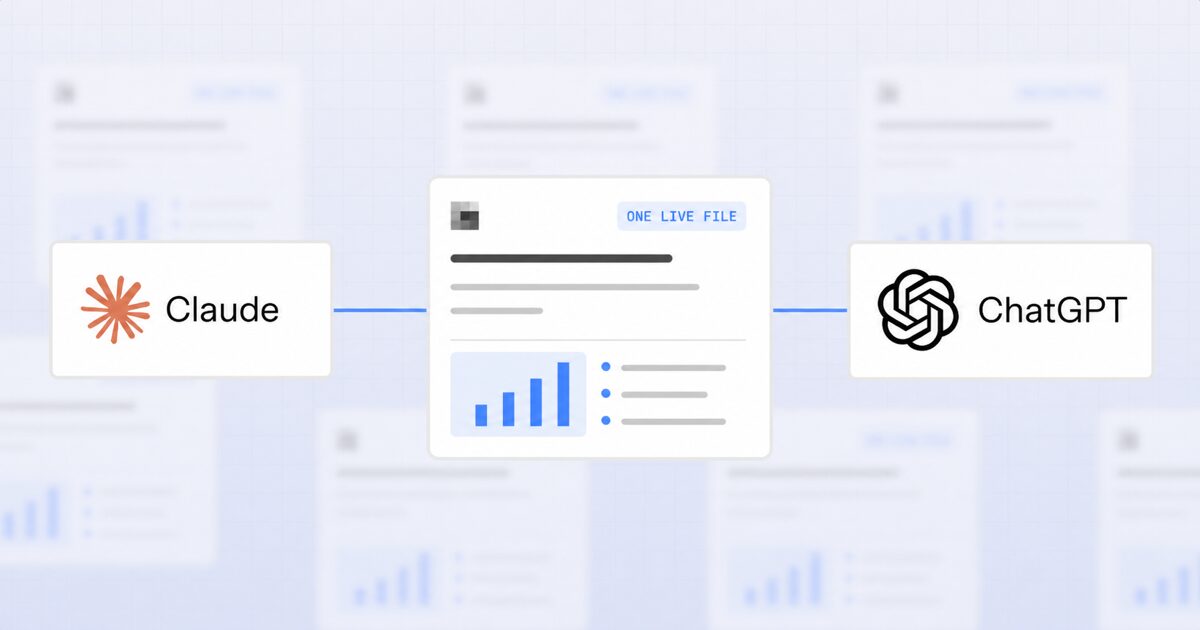
The third approach is to stop moving the file at all and give both assistants access to the same live artifact.
This is the model AgentGrid.io is built around. An artifact lives in a shared workspace with its own URL. Claude and ChatGPT both connect to that workspace, and each one reads and writes the same artifact directly. There is no download step, because there is nothing to move.
To connect an agent, open AgentGrid.io/connect. For coding and autonomous agents, copy and paste this prompt into the agent:
Install Anima's CLI and connect this project to AgentGrid by running: npx @animaapp/cli@latest loginFor Claude or ChatGPT in the browser, use the connector links on the same page and sign in once.
The connector route uses MCP, the open protocol AI assistants use to reach external tools. That is what lets assistants from different vendors work with the same workspace.
Because there is only one artifact, a few things follow. Every change lands in one version history, so you can see how the work evolved rather than comparing two downloads. Artifacts that are apps or pages run at a live URL, so a website ChatGPT drafted is something Claude can open and keep building. Access stays tied to the AgentGrid.io workspace and the artifacts you share there, rather than inheriting the full reach of a connected cloud-drive account. More granular team and agent controls are still evolving, so check the current workspace settings before relying on them for sensitive projects.
The trade-off is setup, and it is smaller than it sounds. Connecting an assistant is a one-time sign-in, not an admin project. For a single file you need to move right now, downloading it is still faster. From the second handoff onward, it is not close.
Which option fits which situation
| Situation | Best option |
|---|---|
| One file, one time | Download and re-upload |
| A document you keep referring to but rarely edit | Cloud storage connector |
| Both assistants actively editing the same work | Shared workspace |
| Output is an app or a live page | Shared workspace |
| You need to see who changed what | Shared workspace |
| The other person has no AI tools at all | Cloud storage or a share link |
Most people need more than one of these. The download route is fine and will stay fine for quick handoffs. What it cannot do is hold a project together across several assistants over several weeks.
A note on why this problem exists
Every AI assistant is built as a closed context. Your ChatGPT conversation, your Claude project, your terminal session: each one is complete on its own and blind to the others. That was a reasonable design when people used one assistant at a time.
It is a poor fit for how the work actually happens now. Research in one, drafting in another, code in a third, and a colleague running their own set. The file is the only thing all of them touch, so the file is where the friction concentrates.
At Anima we hit this while building our own vibe-coding products, which is why we built AgentGrid.io. Several assistants across design, code and content, one project, and no reliable answer to where the current version lived.
It is the same tool we now use internally every day. If the copy problem sounds like your week, connect an assistant to AgentGrid.io and start with a single artifact. You do not have to move everything to find out whether it holds up.
Q&A
Wrapping up
For a single handoff, download and re-upload. For a document you reference often, connect both assistants to cloud storage. For work that both assistants keep building, give them one shared artifact instead of two copies.
If your AI tools are already producing more files than you can track, try AgentGrid.io and connect your first assistant in a couple of minutes.