 Figma
Figma API
API Web to code extension
 Adobe XD
 Discord
 Twitter
 GitHub
'/%3E%3Cpath%20fill='%23b2b2b2'%20d='M241%20382q0%2016%2017%2026%2017%2011%2042%2011t42-11q16-11%2017-26V269H241'/%3E%3Cpath%20fill='%239f7e00'%20d='M241%20379q0%2014%208%2023%209%209%2021%209%2014%200%2021-9%209-9%209-23V269h-59'/%3E%3Cpath%20d='M241%20339v-70h59v110q0%2014-9%2023l-6%205v-68h-15v72q-8%200-14-4v-68zm59%2040c0%2022%2015%2032%2029%2032%2021%200%2030-18%2030-32v-40h-59'/%3E%3Cpath%20fill='%239f7e00'%20d='M266%20277v5h2v12h-3v-5h2v-5h-9v5h2v5h-4v9h3v18h-5v10h34v-10h-5v-18h3v-9h-4v-5h2v-5h-9v5h2v5h-3v-12h2v-5zm42%20101q0%2010%206%2017%206%206%2015%207%2010-1%2016-7%206-7%206-17v-29h-43'/%3E%3Ccircle%20fill='%230044ad'%20cx='329.5'%20cy='372'%20r='6'/%3E%3Cellipse%20fill='%230044ad'%20cx='300'%20cy='340'%20rx='16'%20ry='21'/%3E%3C/svg%3E)


'%3E%3Cpath%20stroke='%23000'%20stroke-width='4'%20d='m-35-37-13%2020m5%203%2013-20m5%203-13%2020m63%2042%206-9m1-2%206-9m5%203-6%209m-1%202-6%209m5%203%206-9m1-2%206-9m-96%200%2013%2020m5-3-6-9m-1-2-6-9m5-3%2013%2020m63-42-6-9m-1-2-6-9m5-3%2013%2020m5-3-6-9m-1-2-6-9'/%3E%3Ccircle%20r='24'%20fill='%23cd2e3a'/%3E%3Cpath%20fill='%230047a0'%20d='M0%200a12%2012%200%201%201%2020%2013%2024%2024%200%201%201-40-26A12%2012%200%201%200%200%200'/%3E%3C/g%3E%3C/svg%3E)


'%3E%3Ccircle%20r='92'/%3E%3Ccircle%20fill='%23fff'%20r='80'/%3E%3Ccircle%20r='16'/%3E%3Cg%20id='c'%3E%3Cg%20id='b'%3E%3Cpath%20id='a'%20d='m0-80%203%2048L0-8-3-32M21-77%2011-30%202-8%205-32M40-69%2019-26%204-7%2013-29'/%3E%3Cuse%20href='%23a'%20transform='scale(-1)'/%3E%3C/g%3E%3Cuse%20href='%23b'%20transform='rotate(45)'/%3E%3C/g%3E%3Cuse%20href='%23c'%20transform='rotate(90)'/%3E%3C/g%3E%3C/svg%3E)


'/%3E%3C/svg%3E)


'/%3E%3C/svg%3E)
'/%3E%3C/g%3E%3Cuse%20href='%23b'%20transform='rotate(45%20140%20300)'/%3E%3Cpath%20d='m299%20285%2046%2015-46%2015%2028-39v48M59%20510l-36%2032%2010-47%2020%2043-42-24m22-409L23%2058l36%2032-48-4%2042-24'/%3E%3C/svg%3E)


'/%3E%3C/svg%3E)
 Blog
Blog
Clone website: Turn any website into React or HTML code instantly ✨4 min read
Reading Time: 3 minutesClone Any Website and Turn it into Code
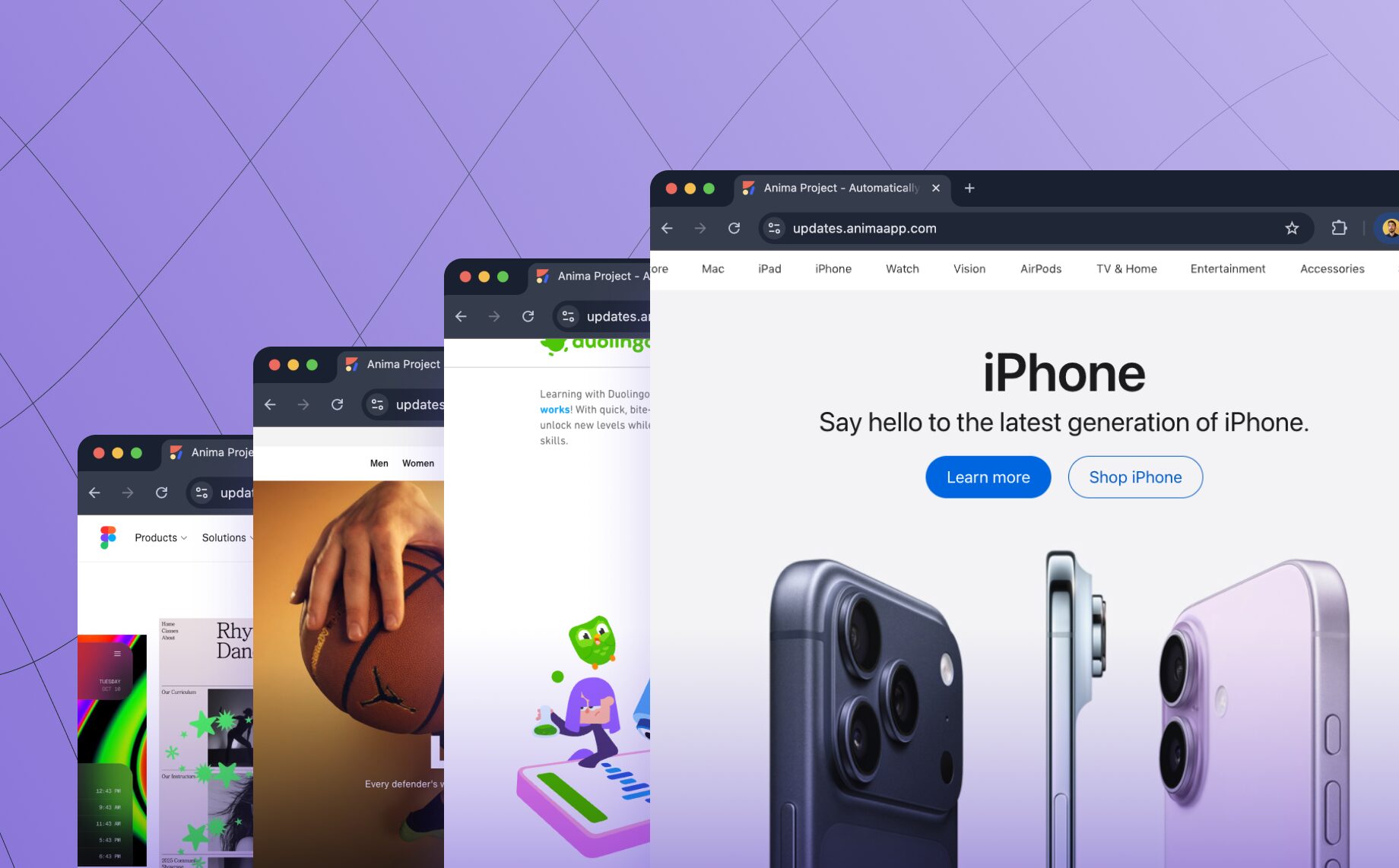
Anima lets you clone a website from a URL and turn it into clean, editable frontend code, so you can prototype, modernize, or remix existing web pages faster.
With Anima’s latest technology, you can clone any live website and generate responsive, LLM-friendly HTML or React code in minutes. Start from a real page, refine it with AI, then export the code or publish a shareable version.
Try Anima Now
Clone any website: Paste a link to Anima and send.
Behind the scenes, Anima analyzes and recreates the website’s layout, styling, colors, spacing, and structure. It then rebuilds the UI with semantic components and consistent design tokens, giving you fully editable, responsive, production-ready HTML or React code that’s ready to tweak, prompt, export, or publish.
How to Clone a Website with Anima
- Paste any website URL into Anima
- Anima analyzes the page layout, design, colors, styles, and structure
- Anima generates responsive, editable frontend code
- You can tweak it, prompt it, export it, or build on top
This is not a static “save as HTML” tool. Anima replicates the page as a semantic, customizable frontend code that you can keep editing and shipping.
Why Clone a Website?
Design inspiration is everywhere. But turning that inspiration into working code usually involves screenshotting, inspecting elements, recreating layouts manually, or starting from a blank canvas. That’s slow and error-prone.
With website cloning, the internet becomes a starting point for faster product work. Use Anima when:
- You want to modernize your existing website using a new React front-end tech stack
- You’re migrating to a new component framework
- You want to prototype and test changes to a live site quickly
- You’d rather start from inspiration than build from scratch
- You want to study real-world layouts by regenerating clean code
Clone a Website to React or HTML
Anima can turn a live URL into editable React or HTML, making it easier to rebuild landing pages, migrate legacy websites, or create AI-editable frontend code from an existing site.
Instead of copying messy source code or manually recreating a page, you get frontend code that is easier to understand, edit, and use as a foundation for your next version.
Website Cloning vs. Saving HTML
Saving a page as HTML usually gives you static, hard-to-maintain code that was never meant to become your new frontend. Anima’s website cloning tool is different. It recreates the page as editable frontend code, with responsive structure, cleaner semantics, and design tokens you can keep working with.
You can edit the layout directly in Anima’s Playground, adjust content in real time, and export clean React or HTML code instantly.
It’s also available through Anima’s API and SDK for automation.
No more manual copying, no more digging through DevTools, just paste a link and get clean, editable source code in seconds.
Watch it in action in this demo!
Clone Websites for Prototyping, Learning, and Modernization
Anima is built for legitimate website cloning workflows: recreating your own sites, modernizing legacy pages, prototyping redesigns, learning from public layouts, and creating inspired-by landing pages. Always make sure you have the right to reuse any brand assets, copy, or protected content.
Real-World Website Cloning Use Cases
- Refactor a legacy site into modern, responsive code
- Build a landing page inspired by any site
- Prototype new screens and flows in minutes
- Run A/B tests with real-world layouts
- Learn how great UI is built, from the code up
Can You Clone a Private Website?
If you need to clone a private page, such as a page behind login, an intranet page, or a page protected by captcha, you can do so with Anima’s Chrome extension.
FAQ: Clone Website with Anima
Can I clone any website with Anima?
You can paste a public URL into Anima to recreate the website’s layout and generate editable frontend code. For private pages, use Anima’s Chrome extension.
Can I clone a website to React?
Yes. Anima can generate editable React code or HTML from a live website, so you can use the result as a starting point for a modern frontend.
Is this the same as saving a page as HTML?
No. Anima is not just copying static HTML. It rebuilds the page into editable frontend code that you can tweak, prompt, export, or build on top.
Can I use this for my existing website?
Yes. A common use case is modernizing or refactoring your own existing website into a cleaner, more responsive frontend stack.
Can I edit the cloned website after importing it?
Yes. After Anima recreates the website, you can edit it in Anima’s Playground, refine it with AI, export the code, or continue building from there.
From Inspiration to Implementation
Why start from scratch when you can start with real code?
- Paste a link
- Get the code
- Remix the web
FAQs
Anima’s “Remix Website” feature is designed to help teams clone their own sites for rapid prototyping, modernization, or migration to React—tasks that are still too manual in the era of AI. It enables faster, on-brand vibe coding by reducing friction in common workflows.
That said, drawing inspiration from the web has always been part of how design and development evolve, whether through structure, layout, or interaction patterns.
Of course, like any tool, it can be misused. But tools like Chrome’s “Inspect Element” or “Save Page” have existed for decades—and so have bad actors. If you see copyrighted content misused on Anima, please report it at AnimaApp.com and we’ll take immediate action.