 Figma
Figma API
API Web to code extension
 Adobe XD
 Discord
 Twitter
 GitHub


 Blog
Blog
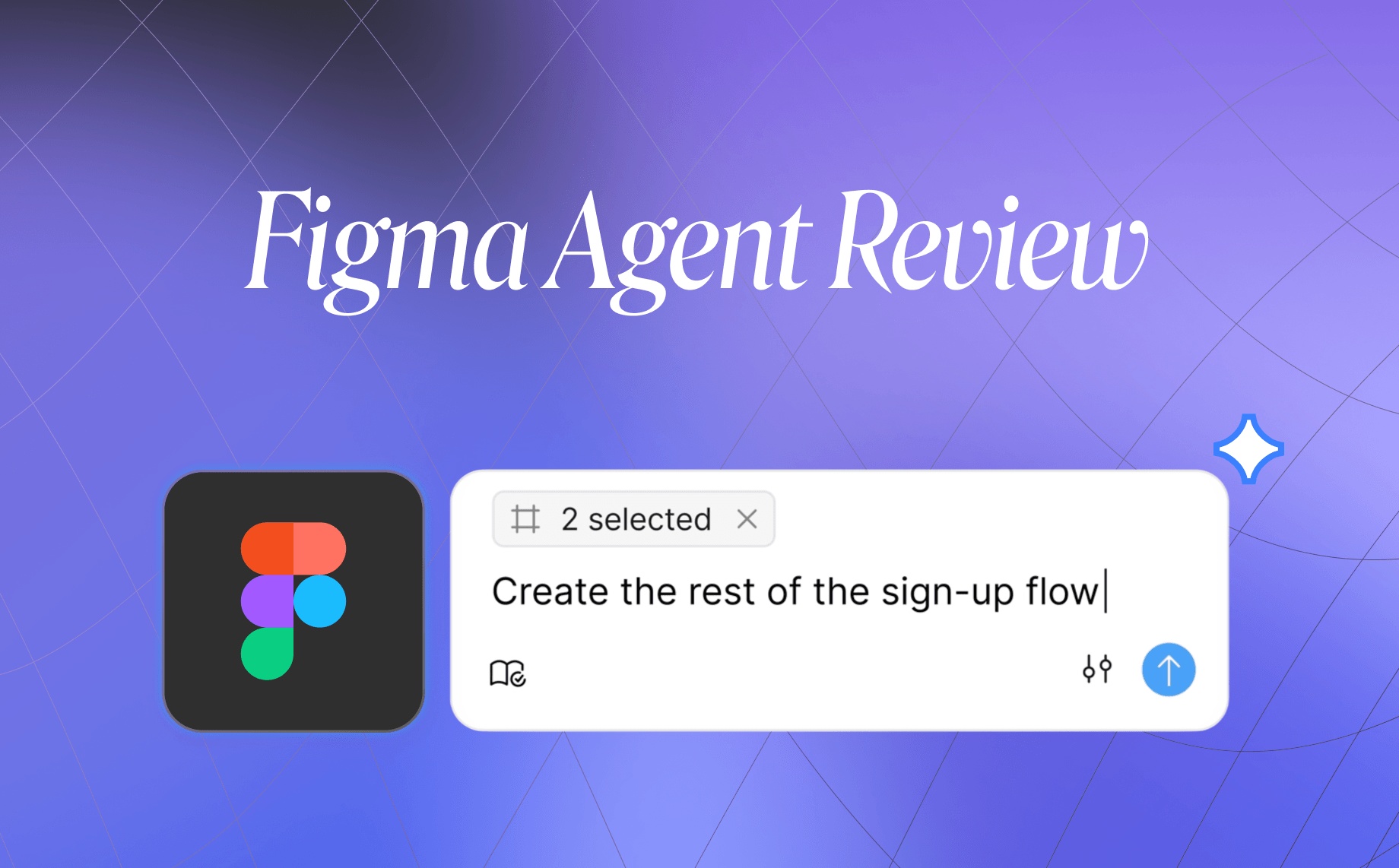
Figma Design Agent Review: Features, Pros, Cons, and Best Alternative12 min read
Reading Time: 9 minutesFigma has officially entered the AI design agent race with Figma Design Agent, a native AI assistant for generating, editing, and improving designs directly on the Figma canvas. Instead of switching to a separate AI design tool, teams can ask Figma Design Agent to create UI, apply design system patterns, update flows, summarize feedback, and route code work toward Figma Make.
That makes Figma Design Agent one of the most important AI design releases of 2026. It also raises a practical question for designers, PMs, founders, and product teams: how good is it in practice, what are the real features, what are the pros and cons, and what is the best Figma Design Agent alternative if you need capabilities Figma does not currently cover?
In this Figma Design Agent review, we’ll look at the main features, strengths, limitations, and the best alternative for teams that want a Figma-native AI workflow today: Buddy by Anima.
Figma announced Figma Design Agent in May 2026 as its native canvas AI agent. The product is currently in beta with a gradual rollout, so this review is based on what Figma has publicly shared and how the announced workflow compares with Buddy, Anima’s Figma AI design agent that is already live in the Figma Community.
Here is a practical Figma Design Agent review covering its features, pros, cons, and best alternative.
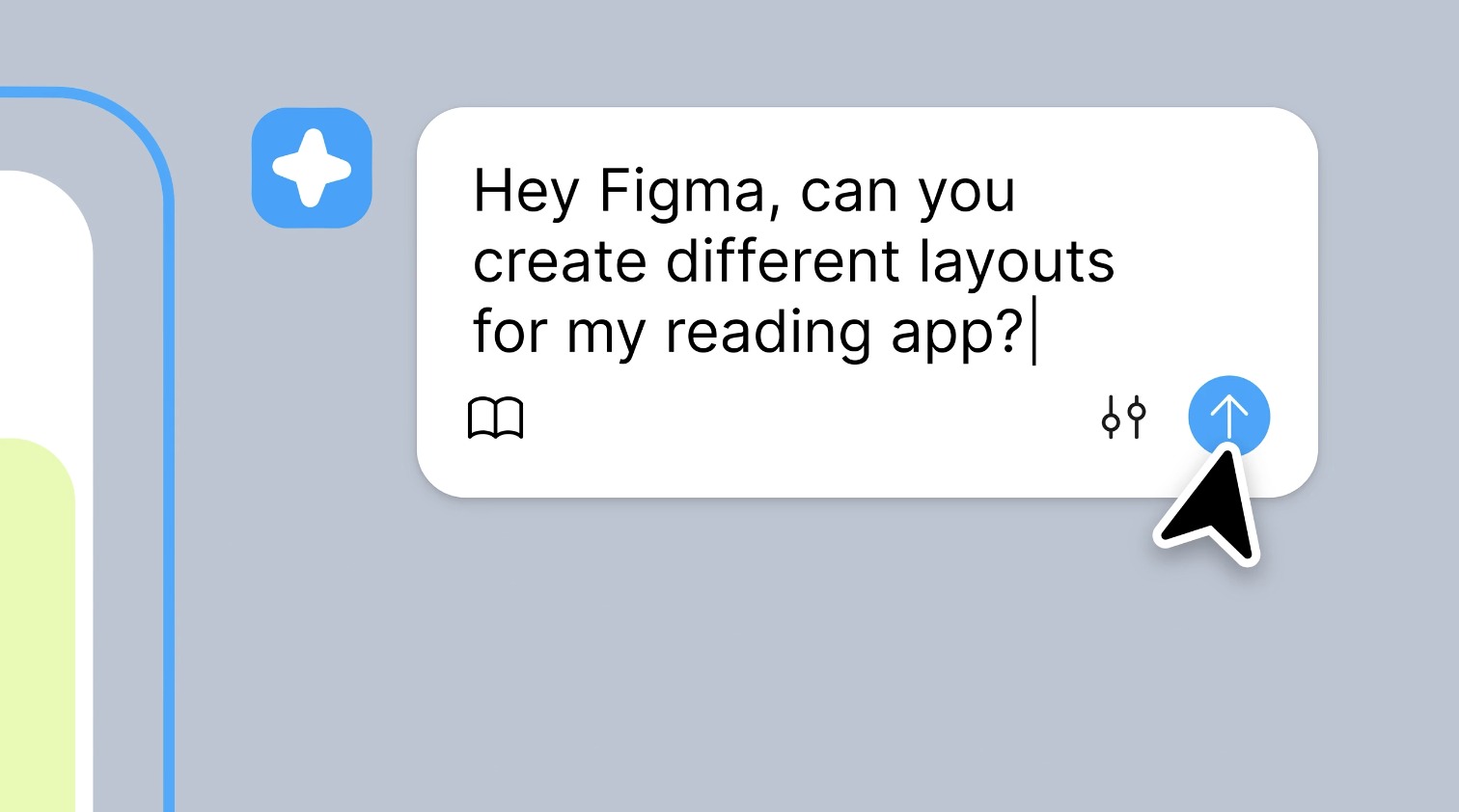
What Is Figma Design Agent?
Figma Design Agent is Figma’s native AI design assistant for the canvas. It is designed to help teams generate UI, explore design variations, edit existing screens, apply design system context, and summarize design feedback without leaving Figma.
The core idea is simple. You describe what you want, Figma Design Agent works on the canvas, and you continue refining the result through conversation. Because it is native to Figma, the experience is built around existing Figma files, components, variables, comments, and collaboration workflows.
Figma Design Agent is especially relevant for product teams that already use Figma as their source of truth. It is not just another AI image generator. It is Figma’s move toward an AI design agent that can help with real design work inside the place where many teams already design.
Availability note: Figma Design Agent is currently in beta. Figma says it is available to full seat holders on Professional, Organization, and Enterprise plans. Starter, Education, and Government plan users are not included in the current beta, and Collab and Dev seats are limited to Drafts only.
Figma Design Agent Features
1. Generate UI from prompts
The main Figma Design Agent workflow starts with natural language. You can ask it to create a screen, flow, component direction, or design variation, then continue refining the result on the canvas.
This matters because many teams do not want AI design work to happen in a disconnected workspace. If the generated UI appears directly inside Figma, designers can keep using the same file structure, comments, components, and review process they already rely on.
2. Explore style variations in parallel
Figma Design Agent can generate multiple stylistic directions for the same screen or flow. For example, a team could ask for a minimal version, a bold version, and a more playful version, then compare them side by side.
This is useful early in the design process, when teams need to explore direction quickly before committing to one visual language. It also makes Figma Design Agent more interesting than a simple prompt-to-screen tool, because the workflow supports exploration, not only generation.
3. Bulk editing and design cleanup
Figma has described Figma Design Agent as capable of handling repetitive design operations across files and flows. Examples include renaming variables, swapping components, applying padding changes, converting designs to dark mode, updating typography, and making broad layout changes.
This is one of the most practical use cases for AI inside Figma. Designers spend a lot of time on cleanup, consistency, naming, spacing, and system alignment. If an AI agent can handle some of that repetitive work safely, it can save real time.
4. Design system awareness
Figma Design Agent is designed to understand your design system context, including frequently used components, variables, tokens, and naming patterns. Figma has also described support for mentioning tokens and variables when prompting.
This is important because generic AI-generated UI is often not useful for professional teams. A polished screen that ignores your components, spacing scale, brand rules, and naming conventions still creates cleanup work. The more Figma Design Agent can respect the design system, the more useful it becomes.
5. Feedback and comment synthesis
One of Figma Design Agent’s most interesting features is feedback synthesis. Figma says the agent can read comment threads and summarize feedback into themes and actionable next steps.
This is a real advantage for teams that run design reviews inside Figma. Design files often collect long comment threads from product, design, engineering, leadership, and marketing. Turning that feedback into a clear action list is exactly the kind of task an AI design agent should help with.
6. Code handoff through Figma Make
Figma Design Agent is connected to Figma’s broader AI product direction, including Figma Make. When teams want to move from design toward code, the workflow routes toward Figma Make rather than turning Figma Design Agent itself into a complete code export tool.
That can be useful if your team wants to stay inside Figma’s ecosystem. But it also means the code path is a handoff to another Figma product, not a direct Figma plugin workflow for exporting React, Vue, or HTML from the same assistant.
Figma Design Agent Pros and Cons
What Figma Design Agent does well
It is native to Figma. This is the biggest advantage. Designers do not need to export files, open a separate AI workspace, or rebuild screens manually. The agent works where the design work already happens.
It fits existing collaboration habits. Because Figma Design Agent is built into Figma, it can connect naturally to comments, files, design reviews, and team workflows. The feedback synthesis feature is especially strong for async product teams.
It supports design system context. Figma’s native access to components, variables, and tokens gives the agent a strong foundation for design-system-aware AI workflows.
It can reduce repetitive work. Bulk edits, renaming, component swaps, spacing updates, and flow-level changes are high-value AI use cases because they save time without forcing teams to change their whole workflow.
Where Figma Design Agent is still limited
It is still in beta. Figma Design Agent is not broadly available to every Figma user yet. If you are on a Starter, Education, or Government plan, or if your team does not have the right seat type, you may not have access.
It does not import websites as editable Figma layers. Figma Design Agent is focused on working inside Figma. It does not currently offer the ability to paste a public URL and turn that page into editable Figma layers. For teams that want to bring existing websites, competitor pages, landing pages, or product screens into Figma, this is a major gap.
It does not paste raw HTML into Figma as editable layers. This matters because more UI work now starts in AI tools like Claude Design. If an AI tool generates HTML and a designer wants to continue refining it in Figma, Figma Design Agent does not currently provide that direct bridge.
The code path depends on Figma Make. Figma Design Agent routes toward Figma Make for code work. That may be the right fit for teams that want a Figma-owned workflow, but teams that already use Anima, coding agents, React exports, Vue exports, or HTML handoff may prefer a more direct path.
It is not available on free and starter workflows. Buddy works on any Figma plan, including Free and Starter. Figma Design Agent’s current beta availability is more limited.
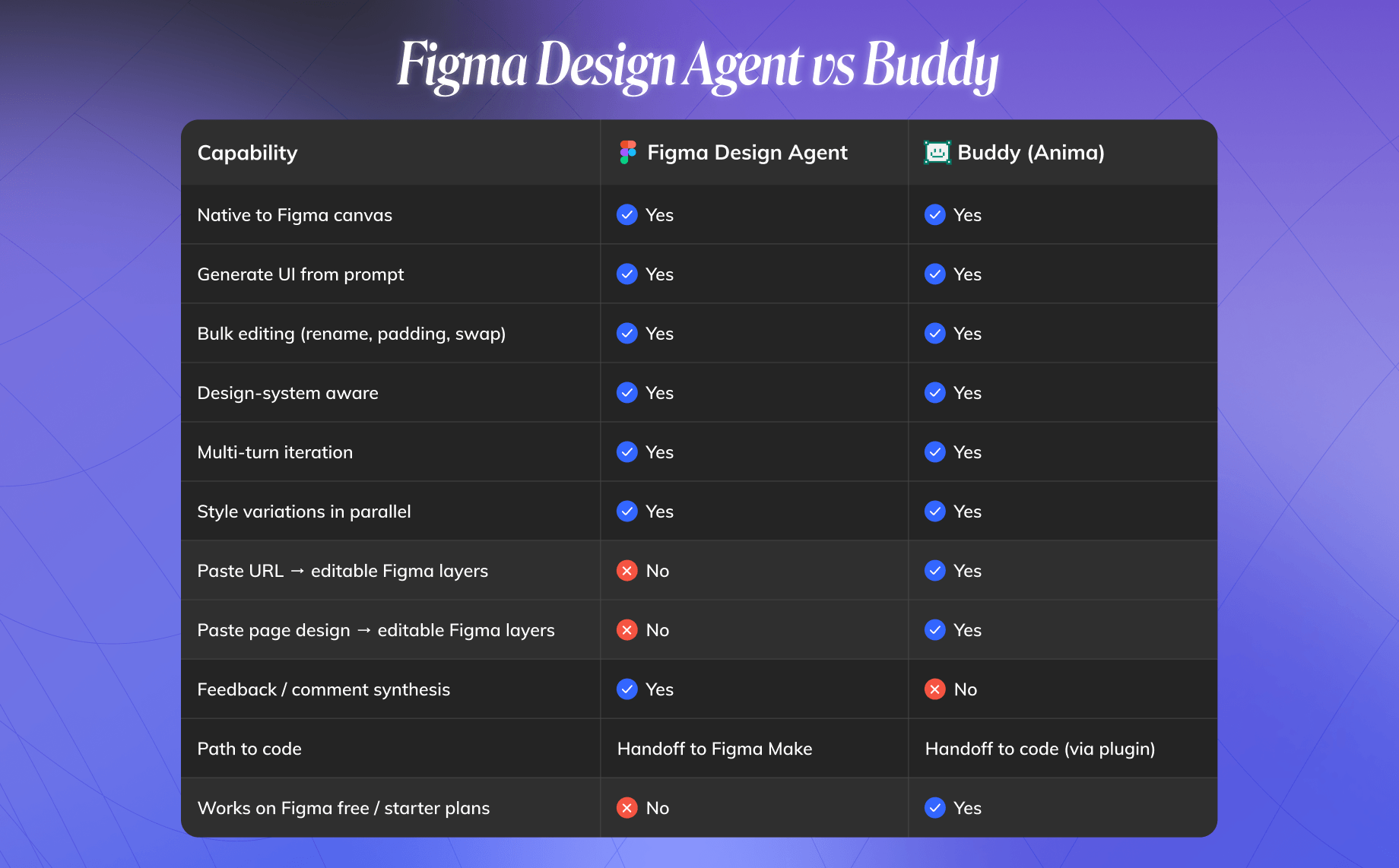
Figma Design Agent vs Buddy: Quick Comparison
The short version: Figma Design Agent is the native Figma AI agent. Buddy is the best Figma Design Agent alternative if you want a Figma AI design agent that is available today, works on every Figma plan, imports websites and HTML into editable Figma layers, and connects to Anima’s design-to-code workflow.
Best Figma Design Agent Alternative: Buddy by Anima
Best for: Teams that want an AI design agent inside Figma with website import, HTML-to-Figma, design system awareness, bulk editing, and a direct path to code.
Buddy by Anima is an AI design agent that lives directly inside Figma as a plugin. You open the chat panel, describe what you want, select frames when needed, and Buddy creates or edits real Figma layers on the canvas.
Buddy is not positioned as a replacement for Figma Design Agent. Figma Design Agent is Figma’s native agent. Buddy is a plugin that extends the Figma workflow with capabilities that are especially useful when your work starts outside Figma or needs to move toward code.
Why Buddy is the best alternative for this review
Buddy is available today. Figma Design Agent is still in beta. Buddy is live in the Figma Community and works on any Figma plan, including Free and Starter.
Buddy turns URLs into editable Figma layers. Paste a website URL into Buddy and it can bring the page into Figma as editable layers, not a flattened screenshot. This is useful for redesigning your own website, studying patterns, bringing external inspiration onto the canvas, or giving non-designers a concrete way to start from an existing product surface.
Buddy turns HTML into editable Figma layers. If you generate a UI in Claude Design or another AI tool, you can paste the HTML into Buddy and continue refining the result in Figma. That workflow is increasingly important because more product ideas now start in AI chat tools, but final design refinement still happens in Figma. Read more about bringing Claude Design to Figma.
Buddy is design-system-aware. Buddy can use your Figma components, variables, tokens, naming conventions, and spacing patterns so the output fits your file instead of looking like generic AI UI.
Buddy connects to code through Anima. Buddy works alongside Anima’s broader Figma-to-code workflow, including React, Vue, and HTML output through the Anima plugin, plus agentic workflows through MCP and the Anima API.
Who Should Use Figma Design Agent?
Figma Design Agent is a good fit for teams that already live deeply inside Figma and want native AI assistance for generation, iteration, cleanup, feedback synthesis, and design review.
It is especially useful for:
- Design teams on Figma Professional, Organization, or Enterprise plans
- Teams that run async feedback cycles in Figma comments
- Designers who want native AI help without installing a plugin
- Product teams that want quick variations and bulk edits inside existing files
- Organizations that prefer Figma-owned AI workflows and Figma Make handoff
Figma Design Agent is worth testing if your team has access to the beta and your workflow starts and ends in Figma.
Who Should Use Buddy Instead?
Buddy is a better fit if you want an AI design agent inside Figma today, especially if your workflow crosses tools.
Use Buddy if you need to:
- Paste a website URL and turn it into editable Figma layers
- Paste AI-generated HTML and continue editing it in Figma
- Work on a Free or Starter Figma plan
- Use Claude, GPT, or Gemini depending on the task
- Connect Figma design work to Anima’s code export and AI coding agent workflows
- Keep using your existing Figma design system while generating or editing screens
In other words, Figma Design Agent is strongest as a native Figma feature. Buddy is strongest as the bridge between Figma, external AI output, websites, design systems, and code.
Final Verdict: Is Figma Design Agent Worth It?
Figma Design Agent is absolutely worth watching. It is Figma’s clearest move into AI-native product design, and its native access to the canvas, comments, files, components, and variables gives it a strong foundation.
Its biggest strength is ecosystem fit. If your design process already lives in Figma, native AI assistance for generation, bulk editing, variations, and feedback synthesis can make everyday design work faster.
Its biggest limitation is that it does not solve every cross-tool workflow. It does not currently turn URLs into editable Figma layers, it does not paste raw HTML into Figma as structured design layers, and its code path routes through Figma Make.
So the answer depends on your workflow.
If your team is on a paid Figma plan, has beta access, and mainly needs native Figma AI assistance, Figma Design Agent is worth trying.
If your team needs a Figma Design Agent alternative that is live today, works on every Figma plan, imports websites and HTML into Figma, and connects design to code, Buddy by Anima is the best alternative to start with.
FAQ
What is Figma Design Agent?
Figma Design Agent is Figma’s native AI design assistant for generating, editing, iterating, and improving designs directly on the Figma canvas. It is designed to help with UI generation, design variations, bulk edits, design system context, feedback synthesis, and code handoff through Figma Make.
Is Figma Design Agent available to everyone?
No. Figma Design Agent is currently in beta. Figma says it is available to full seat holders on Professional, Organization, and Enterprise plans. Starter, Education, and Government plan users are not included in the current beta.
What are the main Figma Design Agent features?
The main Figma Design Agent features include prompt-based UI generation, style variations, bulk editing, design system awareness, feedback and comment synthesis, and code handoff through Figma Make.
What are the pros and cons of Figma Design Agent?
The main pros are native Figma integration, design system context, feedback synthesis, and bulk editing. The main cons are beta availability, limited plan access, no URL-to-editable-Figma-layer workflow, no raw HTML-to-Figma workflow, and a code path that depends on Figma Make.
What is the best Figma Design Agent alternative?
The best Figma Design Agent alternative for teams that want an AI design agent inside Figma today is Buddy by Anima. Buddy works in Figma, supports design-system-aware generation and editing, turns URLs and HTML into editable Figma layers, works on Free and Starter plans, and connects to Anima’s broader design-to-code workflow.
Can Buddy and Figma Design Agent be used together?
Yes. They are not mutually exclusive. Figma Design Agent is Figma’s native AI feature, while Buddy is a plugin that adds workflows Figma Design Agent does not currently cover, especially URL import, HTML-to-Figma, multi-model use, and Anima code handoff.