 Figma
Figma Adobe XD


 Blog
Blog
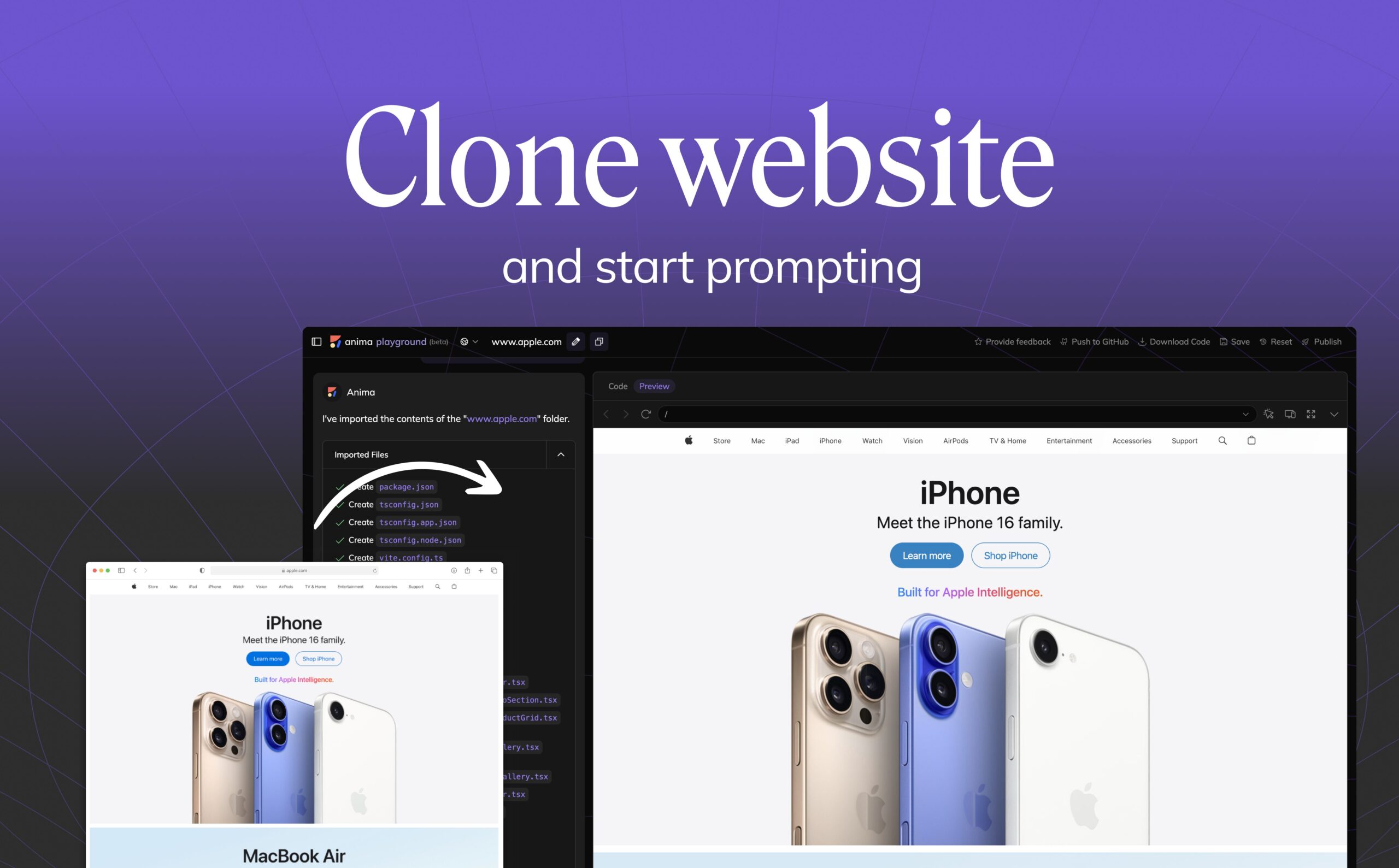
웹사이트 링크를 붙여넣고 React 또는 HTML 코드로 바로 변환1 min read
Reading Time: 3 minutes어떤 웹사이트든 Clone하고 편집 가능한 Frontend Code로 변환하세요
Anima를 사용하면 URL에서 웹사이트를 clone하고, 깔끔하고 편집 가능한 frontend code로 변환할 수 있습니다. 기존 웹페이지를 기반으로 프로토타입 제작, 모던화, remix를 더 빠르게 진행할 수 있습니다.
Anima의 최신 기술을 사용하면 어떤 live website든 clone하고, responsive하면서 LLM-friendly한 HTML 또는 React code를 몇 분 안에 생성할 수 있습니다. 실제 페이지에서 시작해 AI로 다듬고, code를 export하거나 공유 가능한 버전으로 publish할 수 있습니다.
웹사이트를 clone하려면 Anima에 링크를 붙여넣고 전송하기만 하면 됩니다.
내부적으로 Anima는 웹사이트의 layout, style, color, spacing, structure를 분석하고 재현합니다. 그런 다음 semantic components와 일관된 design tokens를 사용해 UI를 다시 구성하여, 편집 가능하고 responsive한 production-ready HTML 또는 React code를 생성합니다. 생성된 code는 바로 tweak, prompt, export, publish할 수 있습니다.
Anima로 웹사이트를 Clone하는 방법
- 원하는 웹사이트 URL을 Anima에 붙여넣습니다
- Anima가 페이지의 layout, design, color, style, structure를 분석합니다
- Anima가 responsive하고 편집 가능한 frontend code를 생성합니다
- 생성된 code를 tweak, prompt, export하거나 그 위에 build할 수 있습니다
이것은 단순한 정적 “save as HTML” 도구가 아닙니다. Anima는 페이지를 semantic하고 customizable한 frontend code로 재구성하기 때문에, 계속 편집하고 바로 ship할 수 있습니다.
왜 웹사이트를 Clone해야 할까요?
design inspiration은 웹 곳곳에 있습니다. 하지만 그 inspiration을 working code로 바꾸려면 보통 screenshot을 찍고, 요소를 inspect하고, layout을 수작업으로 재현하거나, blank canvas에서 시작해야 합니다. 이 과정은 느리고 오류가 생기기 쉽습니다.
website cloning을 사용하면 인터넷 전체가 더 빠른 product work의 출발점이 됩니다. Anima는 다음과 같은 상황에서 유용합니다.
- 기존 웹사이트를 새로운 React frontend tech stack으로 modernize하고 싶을 때
- 새로운 component framework로 migration하고 있을 때
- live site 변경 사항을 빠르게 prototype하고 test하고 싶을 때
- 처음부터 build하기보다 inspiration에서 시작하고 싶을 때
- real-world layout을 clean code로 다시 생성해 훌륭한 UI 구조를 배우고 싶을 때
웹사이트를 React 또는 HTML로 Clone
Anima는 live URL을 편집 가능한 React 또는 HTML로 변환할 수 있습니다. landing page 재구축, legacy website migration, 기존 사이트에서 AI-editable frontend code를 만드는 작업이 쉬워집니다.
messy한 source code를 복사하거나 페이지를 수작업으로 재현하는 대신, 이해하기 쉽고 편집하기 쉬우며 다음 버전의 기반으로 사용할 수 있는 frontend code를 얻을 수 있습니다.
Website Cloning과 HTML 저장의 차이
페이지를 HTML로 저장하면, 대부분 새로운 frontend로 사용하기에는 정적이고 유지보수하기 어려운 code가 만들어집니다. Anima의 website cloning tool은 다릅니다. 페이지를 편집 가능한 frontend code로 재현하고, responsive structure, 더 clean한 semantics, 계속 작업할 수 있는 design tokens를 제공합니다.
Anima’s Playground에서 layout을 직접 편집하고, content를 실시간으로 조정하며, clean한 React 또는 HTML code를 즉시 export할 수 있습니다.
또한 automation을 위해 Anima’s API and SDK로도 사용할 수 있습니다.
더 이상 수작업으로 복사하거나 DevTools를 파고들 필요가 없습니다. 링크를 붙여넣기만 하면 clean하고 편집 가능한 source code를 몇 초 안에 얻을 수 있습니다.
Prototype, 학습, Modernization을 위한 Website Cloning
Anima는 합법적이고 실용적인 website cloning workflow를 위해 만들어졌습니다. 자사 사이트 재현, legacy page modernize, redesign prototype, public layout 학습, inspired-by landing page 제작 등에 사용할 수 있습니다. brand assets, copy, 보호된 content를 재사용할 때는 반드시 권리를 확인하세요.
Website Cloning의 실제 Use Cases
- legacy site를 modern하고 responsive한 code로 refactor하기
- 원하는 사이트에서 inspiration을 얻어 landing page build하기
- 새로운 screen과 flow를 몇 분 안에 prototype하기
- real-world layout으로 A/B test 실행하기
- 훌륭한 UI가 어떻게 구성되는지 code를 통해 배우기
Private Website도 Clone할 수 있나요?
private page를 clone해야 하는 경우, 예를 들어 login 뒤에 있는 페이지, intranet page, captcha로 보호된 페이지 등은 Anima’s Chrome extension을 사용해 import할 수 있습니다.
FAQ: Anima로 웹사이트 Clone하기
Anima로 어떤 웹사이트든 clone할 수 있나요?
public URL을 Anima에 붙여넣으면 웹사이트의 layout을 재현하고 편집 가능한 frontend code를 생성할 수 있습니다. private page의 경우 Anima’s Chrome extension을 사용하면 됩니다.
웹사이트를 React로 clone할 수 있나요?
네. Anima는 live website에서 편집 가능한 React code 또는 HTML을 생성할 수 있어, modern frontend의 출발점으로 사용할 수 있습니다.
페이지를 HTML로 저장하는 것과 같은가요?
아니요. Anima는 단순히 정적 HTML을 복사하는 도구가 아닙니다. 페이지를 편집 가능한 frontend code로 재구성하여 tweak, prompt, export하거나 그 위에 build할 수 있게 합니다.
기존 자사 웹사이트에도 사용할 수 있나요?
네. 흔한 use case는 기존 자사 웹사이트를 더 clean하고 responsive한 frontend stack으로 modernize하거나 refactor하는 것입니다.
import한 뒤 cloned website를 편집할 수 있나요?
네. Anima가 웹사이트를 재현한 후, Anima’s Playground에서 편집하고, AI로 refine하고, code를 export하거나 계속 build할 수 있습니다.
Inspiration에서 Implementation으로
real code에서 시작할 수 있다면, 왜 처음부터 시작해야 할까요?
- 링크를 붙여넣기
- code 가져오기
- Web을 remix하기
FAQs
Anima’s “Clone Website” feature is designed to help teams clone their own sites for rapid prototyping, modernization, or migration to React—tasks that are still too manual in the era of AI. It enables faster, on-brand vibe coding by reducing friction in common workflows.
That said, drawing inspiration from the web has always been part of how design and development evolve, whether through structure, layout, or interaction patterns.
Of course, like any tool, it can be misused. But tools like Chrome’s “Inspect Element” or “Save Page” have existed for decades—and so have bad actors. If you see copyrighted content misused on Anima, please report it at AnimaApp.com and we’ll take immediate action.