 Figma
 API
 Web to code extension
 Adobe XD
 Discord
 Twitter
 GitHub


 Blog

How to Publish a Website With DeepSeek: Code, Host, and Verify10 min read
Reading Time: 7 minutesTo publish a website with DeepSeek, use DeepSeek Chat to create and revise the site files, test them locally, and deploy those files with a separate host. A chat answer is not a live website. This guide uses a static landing page and GitHub Pages as the concrete route, so you can tell exactly where generation ends and hosting begins. If your site needs accounts, payments, or stored form submissions, plan a backend before calling it finished.
Need a shared brief while you build? Start an AgentGrid.io artifact for requirements and approvals. Keep the executable site in your project or repository.
How to publish a website with DeepSeek and AgentGrid.io
1. Give the DeepSeek result a home in AgentGrid
Start at AgentGrid.io, sign in, select the intended team, and choose a workspace you can create in. The team manages membership, while the workspace controls visibility of the artifact you will make. If the prototype is confidential, choose a restricted workspace rather than assuming every teammate should see it. Decide whether the output is a document containing a specification or a runnable app containing code. AgentGrid’s quickstart explains the team and workspace choices. DeepSeek supports coding workflows, but its chat response is not an AgentGrid artifact or deployed site. Keep the source files, assets, and run instructions.
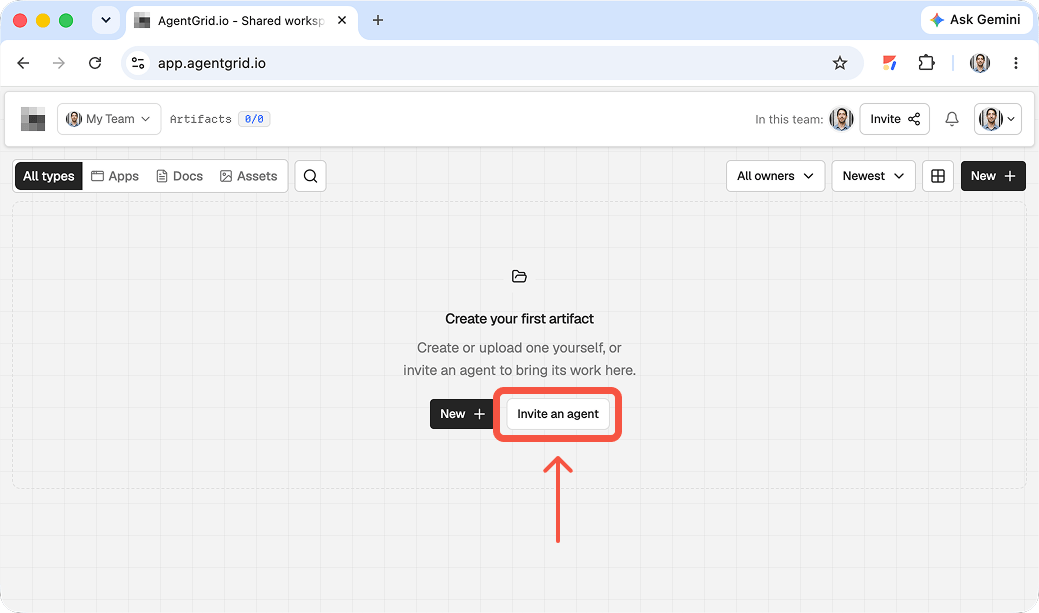
2. Invite an agent only if one will work in the workspace
If a cloud agent or script needs advance access, invite it through AgentGrid agent administration. Interactive coding agents usually self-connect with the CLI instead. Give it a recognizable name and only the capabilities its job needs, usually Read and Write for iteration, not Publish for an unreviewed draft. Copy the one-time connection material to that agent and let it redeem the invitation; creating an invite alone does not connect anything. The invite instructions distinguish this from giving the agent a password. If you will upload the files yourself, skip this. DeepSeek chat does not sync to AgentGrid.
3. Turn the generated files into an artifact
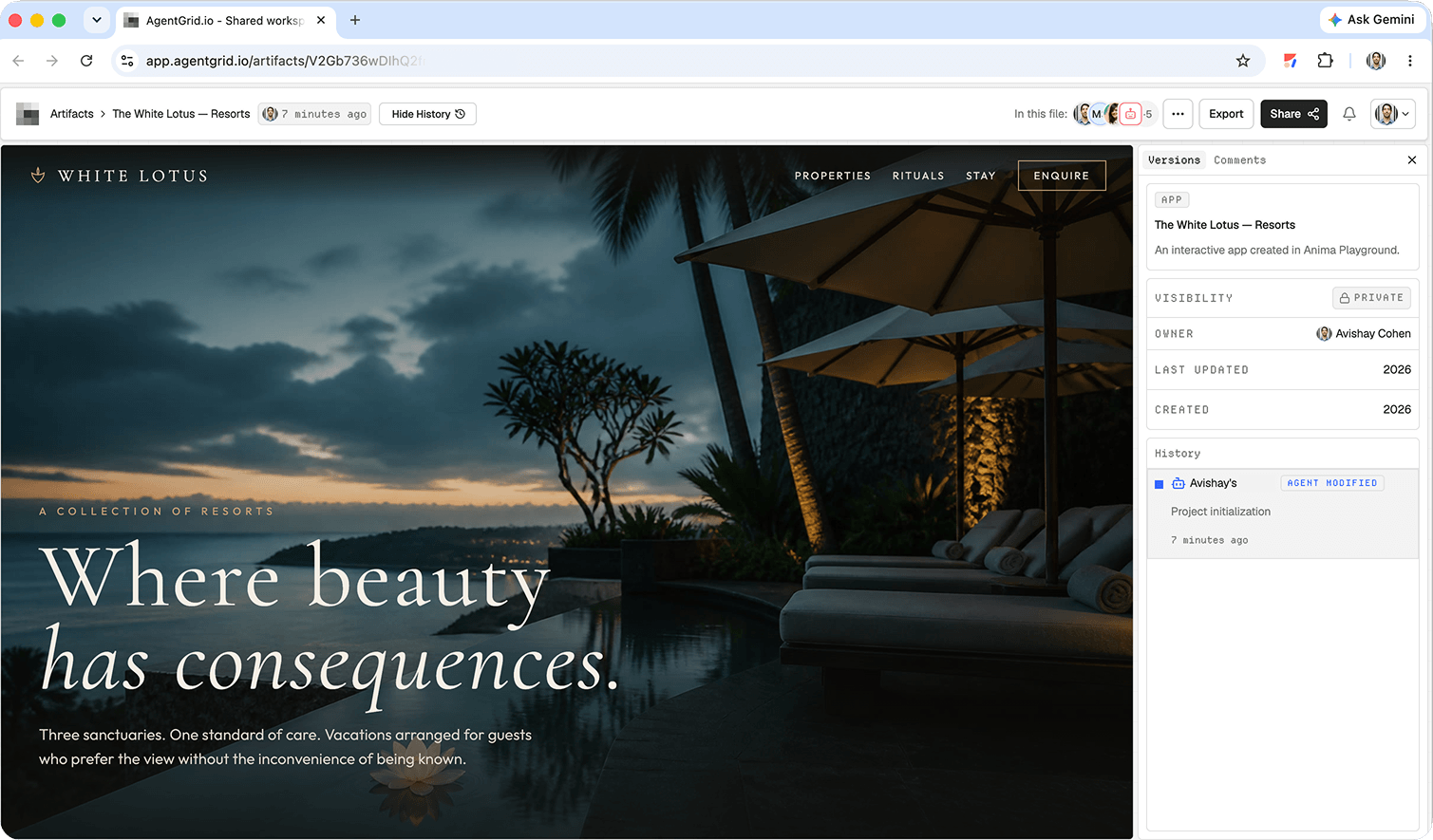
For a written plan, create a Markdown document in AgentGrid and paste the edited specification. For a web app, save the code DeepSeek produced into a local project folder with an entry point such as index.html, plus its referenced assets. Test locally, then choose New → Upload Folder or New → Import from ZIP in the destination workspace, select app, and inspect the result. Include source and assets, not secrets, dependency folders, or build output. The folder/ZIP guide specifies a 50 MiB and 1,000-file limit. If DeepSeek was used through a local coding tool, you still export or collect the files first. Import is a copy, not a live connection to the local project; later local edits require a deliberate update to the AgentGrid artifact.
4. Share the draft, then publish only on purpose
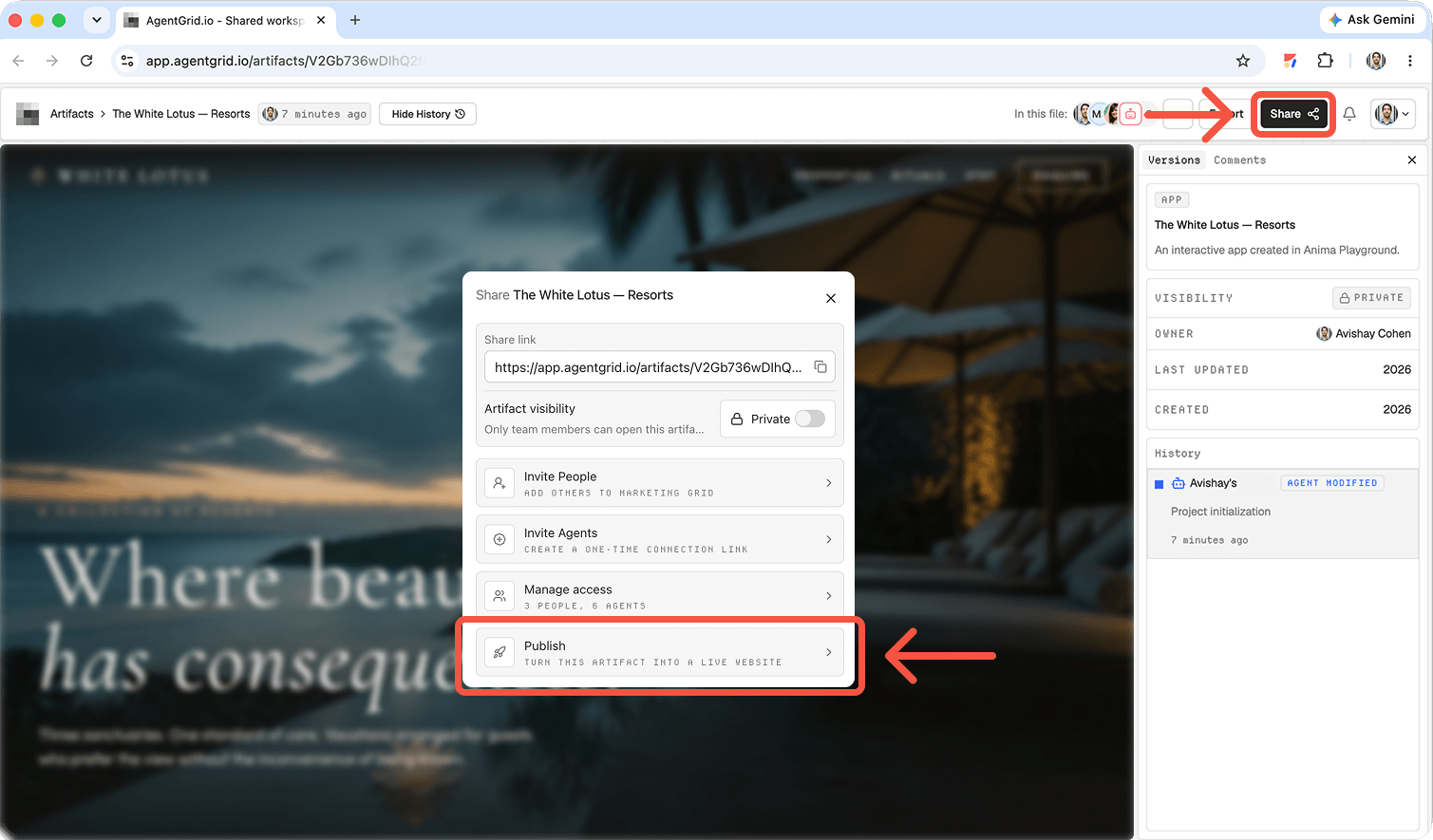
Open the imported artifact and check that its files and preview match your tested build. Use Share to copy its private artifact link for collaborators who have access to that workspace. A link alone does not grant access to someone outside it; manage team membership and workspace grants separately. When you have publish permission and want an account-free public URL, choose the artifact’s publish control, confirm the publication, and open the returned URL to verify it. Later edits are not automatically deployed: publish again when the changed version is ready. You can unpublish without deleting the working artifact. See AgentGrid’s sharing and publishing guides. DeepSeek sharing remains separate.
What DeepSeek does, and what it does not publish
DeepSeek Chat can draft HTML, CSS, and JavaScript from instructions. Its developer documentation describes a separate API route for developers. Neither a code block in Chat nor an API response is itself a public hosted page. For the workflow here, GitHub Pages hosts the tested static files. Do not tell a stakeholder that a DeepSeek conversation link is their website.
Start with one visitor task. For a ceramics studio, that might be reading class dates and opening the studio’s existing booking service. Decide what content has been approved, which assets you have permission to use, and which interactions actually work. A visually complete form that sends nowhere is not a lead-capture system.
How to make a website with DeepSeek and publish it
1. Request a small, complete file set
Ask for a plain static project unless you already have a framework and build pipeline. Name the files, the site sections, the audience, the real button destination, and the mobile behavior. A constrained prompt makes it easier to review the result than a broad request for a polished website.
Example prompt: “Create a responsive one-page ceramics studio site in index.html, styles.css, and script.js. Include an introduction, three class cards, instructor information, and a Book a class button linking to [approved booking URL]. Use semantic headings, visible keyboard focus, and a mobile menu. Do not invent prices, testimonials, or dates. Return each full file under its exact filename and explain how to test it locally.”
Replace the bracketed destination before using the prompt. Save each output with the exact filename. If a response stops midway, request just the incomplete file again. Check that index.html references styles.css and script.js with the correct relative paths. Never paste API keys, customer records, or private repository secrets into the prompt or frontend files.
2. Preview locally and fix one issue at a time
Open index.html for a quick inspection. If JavaScript modules, asset requests, or browser-origin behavior need a local server, run python3 -m http.server 8000 in the project directory and visit http://localhost:8000. This is a local preview, not a public launch. Check the browser console for missing files and script errors.
Resize the window and test at a narrow phone width. Use the keyboard to reach the navigation and booking button. Check every image and link. Read the copy for invented names, hours, and claims. Then ask DeepSeek for a targeted change, such as: “The menu opens but does not close after selecting a link. Change only script.js and explain the change.” Compare the replacement with your working file before accepting it.
3. Put the static files in a repository
Create a GitHub repository containing index.html at the root, together with the referenced assets. Commit the tested version. For a simple branch-based deployment, the GitHub Pages publishing-source guide says to open repository Settings, choose Pages, set Source to “Deploy from a branch,” select the branch and root folder, and save. An Actions deployment is another documented path when a build step is required. Do not assume Pages runs a server-side app just because DeepSeek wrote backend code.
Publish only material intended for the web: GitHub Pages sites are generally public even when some repository arrangements are private. Keep secrets out of the committed files. If the generated project uses React or another compiled stack, establish its build output and deployment workflow rather than putting unbuilt source files on a static host.
4. Verify the public URL, not only the preview
Wait for the Pages deployment, then open the URL GitHub provides in a signed-out or private browser window. Check the landing page, every navigation target, the mobile layout, image loading, and the booking destination. A project site can live under a repository subpath, so a root-relative asset URL may work locally but fail after deployment. Fix paths in the project, commit again, and recheck the live page. Record the commit and URL that passed review.
Before launch: a practical quality checklist
- Content: confirm prices, dates, addresses, endorsements, and legal claims against approved material.
- Conversion: test the main button or form with a safe test submission and verify where it arrives.
- Usability: check keyboard focus, mobile overflow, readable contrast, meaningful image alt text, and a clear heading order.
- Search basics: set a descriptive page title and meta description in the HTML, use a meaningful H1, and verify that the public page is accessible without login.
- Ownership: record the repository, host, domain owner, and process for making corrections.
Do not confuse a deployed file with an approved launch. A privacy notice, analytics configuration, or custom domain may be needed for your project, but these are separate choices from generating code. Keep the first release small enough that a human can actually test it.
Hand off the build and its decisions
The live URL shows what visitors see, and the repository shows what developers can edit. Neither explains why the offer changed or which content still needs sign-off. In an AgentGrid.io artifact, record the approved brief, useful DeepSeek prompts, repository link, deployed URL, owner, tested behavior, and next corrections. This is an optional shared-artifact handoff, not an automatic DeepSeek deployment integration.
Different starting points need different paths. See the Muse AI publishing guide or Claude Design website workflow for other creation paths. For design-aware agent workflows, read how agents use Anima to build and publish apps.
Troubleshooting common DeepSeek website publishing problems
The page is blank or missing styles
Confirm the file names, capitalization, and relative paths in index.html. Use the browser console and Network panel to identify failed requests. Check that the uploaded repository includes every referenced asset, then test the public path rather than only the local file.
The form looks ready but does not send anything
Static HTML does not create a database or mail service. Connect a real form provider or backend, use an approved external booking URL, or remove the claim that visitors can submit. Test the destination and failure state before launch.
Changes appear locally but not on the live page
Check that your latest files were committed and pushed to the configured Pages branch and folder. Inspect the deployment status, wait for completion, and reload the public URL. If a build step is involved, confirm that its output, not merely the source code, is deployed.
FAQ
Can DeepSeek publish a website by itself?
This guide does not rely on a native DeepSeek Chat hosting flow. DeepSeek generates or revises code; a separate service such as GitHub Pages deploys the static result. Verify the host’s live URL before sharing it.
Do I need to know how to code?
You can ask DeepSeek to create the first draft, but you still need to save files, inspect changes, configure a host, and test the visitor journey. For a site with authentication or payments, involve someone who can review the backend and security model.
Can I use my own domain?
Yes, if your chosen host supports custom domains. Configure the domain in that host and your DNS provider, then test the actual domain and HTTPS. A DNS change alone does not upload or publish the website.
What should I share with a teammate?
Share the tested site URL, repository and commit, current requirements, content approvals, and known issues. A chat transcript alone does not identify which version is live.
Next step: publish the tested files through your chosen host, then share the URLs and change list in AgentGrid.io.