 Figma
Figma API
API Web to code extension
 Adobe XD
 Discord
 Twitter
 GitHub
'/%3E%3Cpath%20fill='%23b2b2b2'%20d='M241%20382q0%2016%2017%2026%2017%2011%2042%2011t42-11q16-11%2017-26V269H241'/%3E%3Cpath%20fill='%239f7e00'%20d='M241%20379q0%2014%208%2023%209%209%2021%209%2014%200%2021-9%209-9%209-23V269h-59'/%3E%3Cpath%20d='M241%20339v-70h59v110q0%2014-9%2023l-6%205v-68h-15v72q-8%200-14-4v-68zm59%2040c0%2022%2015%2032%2029%2032%2021%200%2030-18%2030-32v-40h-59'/%3E%3Cpath%20fill='%239f7e00'%20d='M266%20277v5h2v12h-3v-5h2v-5h-9v5h2v5h-4v9h3v18h-5v10h34v-10h-5v-18h3v-9h-4v-5h2v-5h-9v5h2v5h-3v-12h2v-5zm42%20101q0%2010%206%2017%206%206%2015%207%2010-1%2016-7%206-7%206-17v-29h-43'/%3E%3Ccircle%20fill='%230044ad'%20cx='329.5'%20cy='372'%20r='6'/%3E%3Cellipse%20fill='%230044ad'%20cx='300'%20cy='340'%20rx='16'%20ry='21'/%3E%3C/svg%3E)


'%3E%3Cpath%20stroke='%23000'%20stroke-width='4'%20d='m-35-37-13%2020m5%203%2013-20m5%203-13%2020m63%2042%206-9m1-2%206-9m5%203-6%209m-1%202-6%209m5%203%206-9m1-2%206-9m-96%200%2013%2020m5-3-6-9m-1-2-6-9m5-3%2013%2020m63-42-6-9m-1-2-6-9m5-3%2013%2020m5-3-6-9m-1-2-6-9'/%3E%3Ccircle%20r='24'%20fill='%23cd2e3a'/%3E%3Cpath%20fill='%230047a0'%20d='M0%200a12%2012%200%201%201%2020%2013%2024%2024%200%201%201-40-26A12%2012%200%201%200%200%200'/%3E%3C/g%3E%3C/svg%3E)


'%3E%3Ccircle%20r='92'/%3E%3Ccircle%20fill='%23fff'%20r='80'/%3E%3Ccircle%20r='16'/%3E%3Cg%20id='c'%3E%3Cg%20id='b'%3E%3Cpath%20id='a'%20d='m0-80%203%2048L0-8-3-32M21-77%2011-30%202-8%205-32M40-69%2019-26%204-7%2013-29'/%3E%3Cuse%20href='%23a'%20transform='scale(-1)'/%3E%3C/g%3E%3Cuse%20href='%23b'%20transform='rotate(45)'/%3E%3C/g%3E%3Cuse%20href='%23c'%20transform='rotate(90)'/%3E%3C/g%3E%3C/svg%3E)


'/%3E%3C/svg%3E)


'/%3E%3C/svg%3E)
'/%3E%3C/g%3E%3Cuse%20href='%23b'%20transform='rotate(45%20140%20300)'/%3E%3Cpath%20d='m299%20285%2046%2015-46%2015%2028-39v48M59%20510l-36%2032%2010-47%2020%2043-42-24m22-409L23%2058l36%2032-48-4%2042-24'/%3E%3C/svg%3E)


'/%3E%3C/svg%3E)
 Blog
Blog
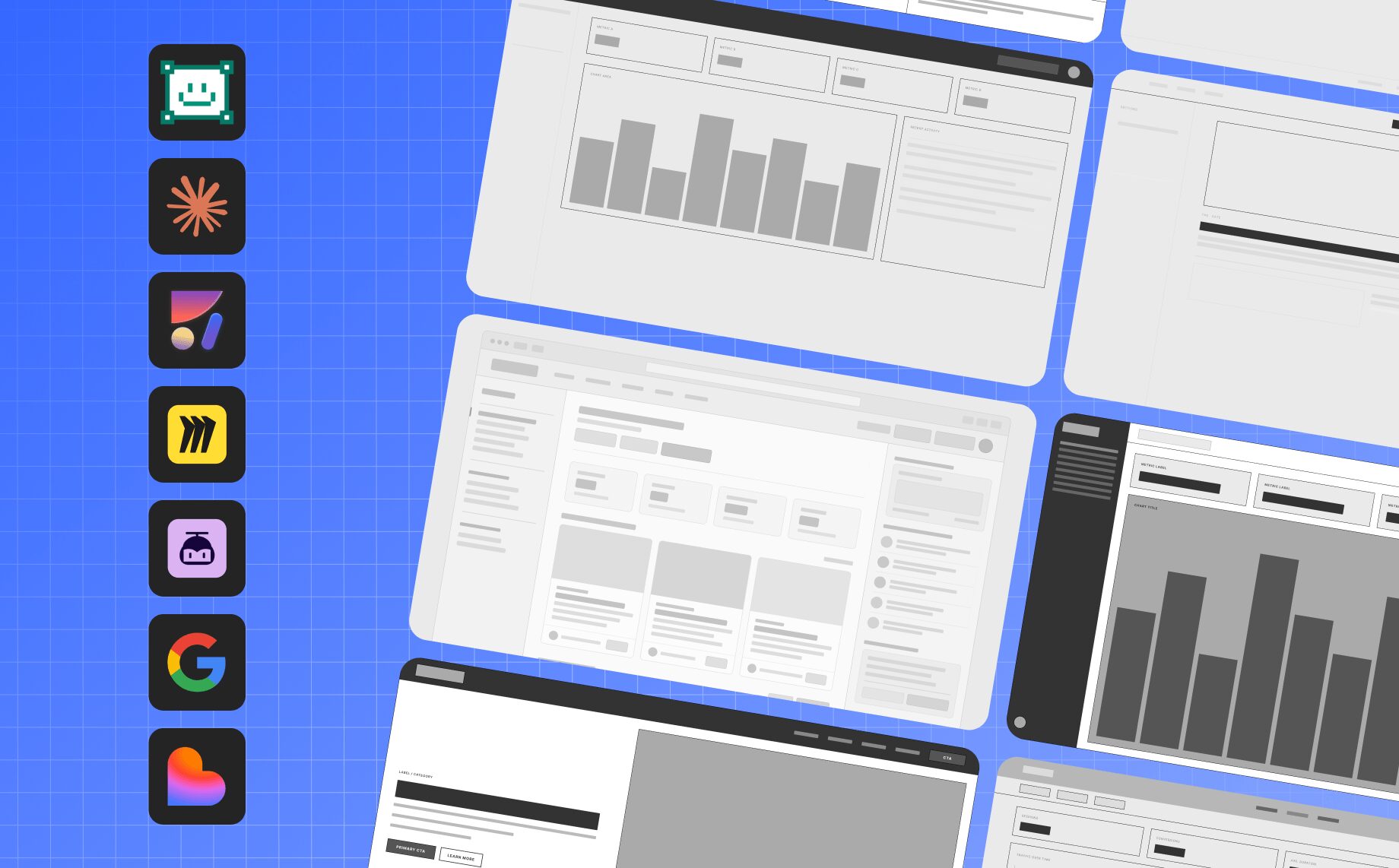
Wireframing Tools and Software in 2026: 10 Best Options for Every Workflow22 min read
Reading Time: 14 minutesThe best wireframing tools in 2026 depend on how far you want the wireframe to go. Balsamiq and Whimsical are quick for rough, low-fidelity sketches. Figma is the standard when a designer will carry the wireframe into a full design. AI wireframing software such as Anima Playground, Buddy, UX Pilot and Google Stitch generates screens from a prompt, and Anima can take the result on to working code.
Last updated: November 1, 2026
This guide compares 10 wireframing tools and software options for designers, product managers and founders. It covers classic drawing tools, whiteboards and AI wireframe generators, and it explains who each one is for, where it stops and what happens to the wireframe afterwards.
New to the term? Start with what a wireframe is (definition, fidelity levels and examples). This page is about choosing a tool. If you are also working on the fundamentals, our user experience basics guide covers the thinking that comes before the wireframe.
Which Wireframing Tool Should You Pick? Quick Answers
- Rough, disposable sketches: Balsamiq or Whimsical.
- You already design in Figma: Figma itself, or Buddy to generate wireframes on the canvas.
- A workshop with a mixed team: Miro.
- Screens from a prompt: Anima Playground, UX Pilot or Google Stitch.
- A wireframe that becomes a working app: Anima Playground or Lovable.
- Fast visual concepts inside Claude: Claude Design.
We reviewed each tool on generation quality, support for website and webpage wireframes, Figma support, design-system fit, editing control, collaboration, code handoff and how it fits a real product workflow.
Best Wireframing Tools and Software in 2026: Quick Comparison
| Tool | Best for | Type | Fidelity | Figma support | Code handoff |
|---|---|---|---|---|---|
| Anima Playground | Wireframes that turn into working websites and apps | AI, browser-based | Low to high | Imports Figma designs and can copy output back to Figma | Yes, editable code |
| Buddy (Figma design agent by Anima) | AI wireframing inside Figma | AI, Figma plugin | Low to high | Native Figma canvas | Yes, through Anima workflows |
| Claude Design | Fast visual concepts from prompts | AI | Low to high | Not primarily Figma-native | Claude Code handoff |
| Miro AI Canvas | Workshops and collaborative wireframes | Whiteboard, AI | Low to mid | Indirect | Limited |
| UX Pilot | UX flows and AI-generated wireframes | AI | Low to high | Figma-oriented workflows | Some export options |
| Google Stitch | Vibe design and fast UI exploration | AI | Low to high | Export-oriented | Developer tool export |
| Lovable | Turning wireframes into working apps | AI app builder | Mid to high | Can work from screenshots and prompts | Built-in app generation |
| Figma | One tool from first wireframe to final design | Design canvas, with AI features | Low to high | Native | Dev Mode and Figma Make |
| Balsamiq | Fast, deliberately rough sketches | Low-fidelity sketch tool | Low | Not applicable | No |
| Whimsical | Wireframes next to flows, docs and mind maps | Low-fidelity canvas | Low to mid | Indirect | No |
Try AI Wireframing with Anima
Describe a website, app, or product flow, and Anima will turn it into an editable wireframe and working prototype.
1. Anima Playground
Best for AI wireframing software that can design wireframes and turn them into working products or prototypes
Anima Playground is a design-aware AI environment for product teams that want to turn prompts, Figma designs, images, and URLs into functional product experiences. It can design wireframes for websites, web apps, landing pages, internal tools, and product flows, then continue into editable code and a live preview.
This makes Anima Playground a strong website wireframe tool, webpage wireframe tool, and web wireframe tool for teams that do not want wireframes to become throwaway artifacts. You can start with a rough idea, create a site wireframe, refine the UX by chat, and move toward a working React prototype in the same workflow.
With Anima Playground, a wireframe can become a working React app, a realistic prototype, or a product experience that can be handed off to coding agents and engineering teams.
What Anima Playground is best at
- Turning wireframes into working React apps
- Creating functional prototypes from Figma designs, prompts, or images
- Iterating with chat instead of starting from scratch
- Building product experiences with real front-end structure
- Connecting design workflows to AI coding agents
- Using MCP to hand off context to tools like Cursor and Claude Code
Why Anima Playground stands out
Many AI wireframe generators stop at a visual mockup. Anima Playground starts as wireframing software, then continues into code, preview, publishing, and agent handoff.
That is a major advantage in 2026 because product teams increasingly want prototypes that behave like real products. PMs want something they can share. Designers want something that keeps the visual intent. Engineers want structured code and useful context. AI coding agents need readable input.
Anima Playground connects those needs into one workflow: prompt to UI to React to agent handoff.
Pros
- Turns AI wireframes and Figma designs into working product experiences
- Strong bridge between design, code, and AI agents
- Good fit for PMs, designers, founders, and engineering teams
- MCP handoff helps coding agents understand design context
- Designed for real product workflows, not only static mockups
Cons
- Teams looking only for quick low-fidelity sketches may not need the full workflow, although they can still use Buddy, Anima’s Figma design agent
- Best results come when teams treat the output as a product starting point, not a final unchecked implementation

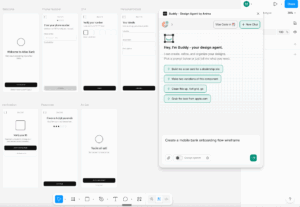
2. Buddy – Figma AI Design Agent by Anima
Best for AI wireframing directly inside Figma
Buddy – Figma AI is Anima’s AI design agent that works directly inside Figma. It can create wireframes, generate product screens, iterate on designs, and take real actions on the Figma canvas.
If Anima Playground is the best fit for designing wireframes that can become working web experiences, Buddy is the best fit when your team wants AI wireframing inside the Figma canvas.
You can use Buddy to create screens, flows, components, and variants inside Figma. It is especially useful for teams that want editable design files, product-quality structure, and design-system alignment.
What Buddy is best at
- Generating wireframes directly in Figma
- Creating product screens and flows from prompts
- Iterating on designs in the same canvas designers already use
- Working with components, variants, layout structure, and visual hierarchy
- Helping teams move from low-fidelity wireframes to polished UI
- Keeping PMs, designers, and engineers aligned around the same design source
Why Buddy stands out
Most AI wireframing tools optimize for the first draft. Anima optimizes for the full product workflow.
That matters because the first AI-generated wireframe is rarely the final design. Teams still need to refine flows, apply brand rules, align with design systems, collaborate in Figma, and prepare for engineering handoff.
Anima is strongest when your team wants to go from prompt to Figma wireframe to branded UI to code to working product.
That is the workflow most AI wireframe tools do not fully support.
Pros
- Works directly inside Figma
- Creates editable wireframes, screens, flows, and design structures
- Strong fit for product teams with design systems
- Connects naturally to Anima’s design-to-code workflow
- Useful for designers, PMs, and engineers
Cons
- Best suited for teams that already use Figma or want to move into a Figma-based workflow
- Like any AI-generated design, outputs still benefit from product and design review
3. Claude Design
Best for fast visuals inside the Claude ecosystem
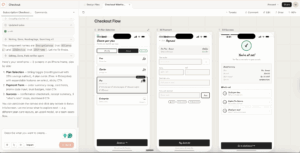
Claude Design is Anthropic’s AI design tool for creating visual concepts, prototypes, mockups, one-pagers, and other design assets from prompts.
Claude Design is especially interesting because it starts from the AI assistant workflow rather than a traditional design tool. A PM, founder, marketer, or operator can describe an idea and get something visual quickly.
Anthropic also positions Claude Design with a handoff path to Claude Code, which makes it relevant for teams that want to move from visual concept to implementation inside the Claude ecosystem.
What Claude Design is best at
- Creating visual drafts from prompts
- Turning ideas into prototypes and mockups
- Helping non-designers communicate visual direction
- Generating branded design assets
- Packaging work for Claude Code handoff
Pros
- Fast visual generation from prompts
- Good fit for Claude users and non-designers
- Can help teams move from idea to prototype quickly
- Claude Code handoff creates a bridge toward implementation
Cons
- Not primarily built around Figma-native product design workflows
- May require extra steps for teams with mature design systems
- Best for starting points, not necessarily final product design governance
4. Miro AI Canvas
Best for workshops, discovery, and collaborative wireframing
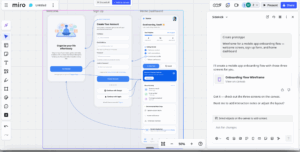
Miro AI Canvas is useful for teams that start wireframing during product discovery. Miro can turn text prompts into foundational wireframes and help teams collaborate around early ideas, diagrams, sticky notes, and product flows.
This makes Miro a strong fit for the messy early stage of product work, when teams are still aligning on user problems, flows, requirements, and rough structure.
What Miro AI Canvas is best at
- Brainstorming product ideas
- Running design workshops
- Creating early low-fidelity wireframes
- Mapping user flows and journeys
- Turning workshop notes into visual structure
- Getting stakeholders aligned before detailed design
Pros
- Excellent collaborative canvas for product discovery
- Good for early wireframes, flows, diagrams, and workshops
- Easy for cross-functional teams to use
- Strong fit before moving into Figma or code
Cons
- Not the strongest option for final UI design
- Limited for production-grade code handoff
- Teams usually need another tool after the discovery stage
5. UXPilot
Best for UX flows and AI-generated wireframes
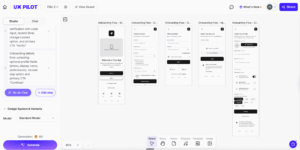
UXPilot is an AI UX design tool focused on wireframes, user flows, and UI screen generation. It is built for designers, founders, and product teams that want to create early UX structure quickly.
UXPilot can help teams generate wireframes from prompts, create user flows, and move from rough ideas toward more polished screens. It is one of the more focused tools in the AI UX category.
What UXPilot is best at
- Creating wireframes from text prompts
- Generating UX flows
- Turning rough ideas into screen concepts
- Exploring multiple screen directions
- Helping non-designers express product intent visually
Pros
- Purpose-built for UX wireframes and flows
- Fast prompt-to-screen workflow
- Useful for designers and non-design stakeholders
- Good fit for early screen exploration
Cons
- Outputs may still require design-system alignment
- Not as strong as Anima for full Figma-to-code continuity
- Less focused on MCP and coding-agent handoff
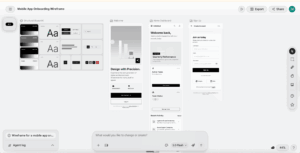
6. Google Stitch
Best for vibe design and fast UI exploration
Google Stitch is Google’s AI UI design tool for generating web and mobile interfaces. Google describes Stitch as a way to generate UIs for mobile and web applications, making design ideation fast and easy.
Google has also introduced the term vibe design around Stitch. Instead of manually drawing every screen, users can describe the product, style, intent, and UI direction, then use AI to generate interface options.
What Google Stitch is best at
- Generating UI screens from prompts
- Exploring mobile and web app concepts
- Creating visual variations quickly
- Using AI for vibe design and design ideation
- Moving concepts toward developer tools in the Google ecosystem
Pros
- Fast AI UI generation for web and mobile
- Strong for vibe design and visual exploration
- Useful for early product concepts
- Backed by Google’s AI ecosystem
Cons
- Outputs can still feel generic without design direction
- Not primarily built around existing Figma design systems
- Teams may need extra workflow steps for production handoff
7. Lovable
Best for turning wireframes into working apps
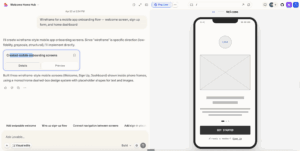
Lovable is a vibe coding platform that can turn prompts, screenshots, wireframes, and product ideas into working applications.
Lovable is not a traditional wireframing tool, but it belongs on this list because many teams now skip static wireframes and move straight to working prototypes. For founders, PMs, and builders, a clickable app can be more useful than a static mockup.
What Lovable is best at
- Turning prompts into apps
- Converting screenshots and wireframes into functional UI
- Building MVPs quickly
- Creating full-stack prototypes
- Helping founders and PMs validate product ideas
Pros
- Great for moving from wireframe to working app
- Strong fit for founders, PMs, and non-technical builders
- Useful for MVPs and product validation
- Can work from prompts, screenshots, and wireframe concepts
Cons
- Not primarily a professional design-system tool
- Less focused on Figma-native design workflows
- Product teams may need extra design review before production use
8. Figma
Best for designers who want one tool from first wireframe to final design
Figma is not a wireframing-only tool, but most wireframing now happens there. Designers block out screens with grey frames because the team, the components and the comments already live in Figma, and a wireframe frame can grow into a high-fidelity design without being redrawn in another tool.
Figma also has AI features. Figma Make turns a prompt or a design into an interactive prototype you can preview and refine in chat. Our guide to Figma Make explains what it does and where it stops, and Figma Make vs Anima Playground compares it with a code-first workflow.
What Figma is best at
- Low-fidelity frames through high-fidelity design in one file
- Components, variables and Auto Layout for design systems
- Comments, version history and real-time collaboration
- Dev Mode for engineering handoff
Pros
- Strong fit when your design system already lives in Figma
- Familiar to most product design teams
- Starter plan lets you try it before paying (check current limits)
Cons
- Easy to polish too early, because the canvas does not stop you
- Steeper learning curve for non-designers
- The wireframe is still a design file, so turning it into a working app takes another tool
9. Balsamiq
Best for fast, deliberately rough low-fidelity wireframes
Balsamiq is the classic low-fidelity wireframing tool. Everything looks sketched on purpose, so reviewers talk about structure and flow instead of colours and fonts. The stencil library is large and the learning curve is close to zero.
It is a good pick for the first hour of a project, when you want to test ideas quickly and throw most of them away.
What Balsamiq is best at
- Quick sketches of screens and flows
- Click-through links between wireframes
- Early feedback from stakeholders who are not designers
Pros
- Keeps feedback on layout and content, not styling
- Very easy to learn
- Good for workshops and requirement discussions
Cons
- Wireframes are disposable and do not carry forward into design or code
- Not meant for high-fidelity mockups or design systems
10. Whimsical
Best for product teams that keep wireframes next to flows and docs
Whimsical combines wireframes, flowcharts, mind maps and docs on one fast canvas. Its wireframe kit is deliberately simple, and having the user flow next to the screens makes it popular with product managers who plan and sketch in the same place.
What Whimsical is best at
- Low-fidelity wireframes and wireflows
- User flows, diagrams and mind maps next to the screens
- Quick documentation of product ideas
Pros
- Fast and easy for non-designers
- Wireframes, flows and docs in one place
- Good for early product discovery
Cons
- Intentionally lightweight, so not suited to detailed UI design
- Not a path to code or a design system
Low-Fidelity or High-Fidelity: Which Wireframing Software Fits Your Stage?
Fidelity is how much detail the wireframe carries. Pick the tool for the stage you are in, not the one with the longest feature list.
| Stage | What you need | Good fits |
|---|---|---|
| Early discovery | Boxes, labels and flows you can change in minutes | Balsamiq, Whimsical, Miro |
| Structure and content | Realistic layout, real copy and component placement | Figma, Buddy, UX Pilot |
| Pre-design review | Near-final spacing, type and states for stakeholders | Figma, Anima Playground, Google Stitch |
| Testing with users | Something clickable or working that people can try | Anima Playground, Lovable, Figma Make |
When a wireframe becomes clickable it turns into a prototype. If you are not sure where that line sits, read wireframes vs prototypes.
How to Choose the Best Wireframing Tool for Your Team
The best wireframing tool depends on where your team wants to end up. Some tools are great for quick low-fidelity ideas. Others are better for Figma-native product design. A few can turn wireframes into working software.
Before you choose a tool, run the same three prompts across your shortlist:
- A mobile onboarding flow with SSO and email signup
- A SaaS dashboard with empty states, filters, and charts
- An e-commerce checkout flow with shipping, payment, and confirmation screens
Then compare the results using these criteria:
| Factor | What to look for |
|---|---|
| Generation quality and control | Does the AI understand product intent, hierarchy, user flows, layout constraints, and mobile or desktop context? |
| Figma workflow fit | Can the tool create or edit real Figma designs, or does it only export static images or disconnected mockups? |
| Design-system fidelity | Can the AI use your components, tokens, typography, spacing, and brand language instead of producing generic AI UI? |
| Editing and iteration | Can you refine the design with prompts, manual edits, partial regeneration, and team feedback? |
| Developer handoff | Can the wireframe become code, React components, a prototype, or useful context for engineering? |
| Agent readability | Can other AI agents understand the output? Look for clean structure, meaningful components, readable code, and MCP or coding-agent handoff. |
| Collaboration and governance | Does the tool support comments, versioning, permissions, review flows, and team workflows? |
| Privacy and security | Check data retention, model training policies, SSO, audit logs, SOC 2, and enterprise controls if your team handles sensitive product data. |
For professional product teams, the most important question is not only “Can this tool generate a wireframe?” It is “Can this tool help us move from idea to real product without breaking our design system, Figma workflow, or engineering handoff?”
Best Wireframing Tools by Use Case
| Use case | Best tool |
|---|---|
| Best overall AI wireframing tool for product teams | Anima |
| Best AI wireframing tool for Figma users | Buddy, the Anima Figma design agent |
| Best wireframing software for one tool from sketch to final design | Figma |
| Best tool for rough low-fidelity sketches | Balsamiq |
| Best for wireframes next to flows and docs | Whimsical |
| Best tool for fast visual concepts | Claude Design |
| Best tool for wireframe to code | Anima Playground |
| Best tool for AI coding agent handoff | Anima Playground with MCP |
| Best tool for workshops and product discovery | Miro AI Canvas |
| Best dedicated UX flow tool | UX Pilot |
| Best vibe design tool for exploration | Google Stitch |
| Best tool for prompt-to-MVP app generation | Lovable |
Why Anima Is the Best AI Wireframing Tool for Professional Product Teams
There are many good AI wireframing tools in 2026. But Anima stands out because it connects the full workflow from idea to design to code.
Most AI wireframe generators help you create a first draft. That is useful, but professional product teams need more than a first draft. They need editable designs, Figma compatibility, design-system awareness, collaboration, brand consistency, and a path to production.
Anima gives teams a more complete workflow: idea to wireframe to Figma design to design system to React code to AI coding agent handoff.
That makes Anima especially strong for teams that already work in Figma and want AI to accelerate real product work, not create disconnected mockups.
Anima combines:
- AI wireframing
- Figma-native design actions
- Design-system awareness
- Design-to-code generation
- React output
- MCP handoff to coding agents
- A workflow for designers, PMs, and engineers
In 2026, the best AI wireframing tool is not the one that generates the fastest rectangle layout. It is the one that helps your team move from product idea to real product.
That is where Anima is different.
Conclusion
AI wireframing tools can save hours of early product design work. They help teams move from vague ideas to concrete screens, flows, prototypes, and apps faster than traditional wireframing workflows.
If you only need a quick workshop sketch, Miro AI Canvas is a strong option. If you want fast visual exploration, Claude Design and Google Stitch are worth testing. If you want UX-focused screen generation, UXPilot is a good dedicated tool. If you want to go straight from idea to app, Lovable is a strong vibe coding platform.
But if your team uses Figma and wants a serious workflow from wireframe to product, Anima is the best place to start.
Anima Figma Design Agent – Buddy helps you create and iterate directly inside Figma. Anima Playground helps you move from design to working software, with code output and MCP handoff to AI coding agents.
That combination makes Anima one of the most complete AI wireframing tools for professional product teams in 2026.
FAQ: Wireframing Tools and Software in 2026
What is wireframing software?
Wireframing software is a tool for drawing the layout of a screen or page before visual design: structure, content hierarchy, navigation and key components. Some tools are simple sketch tools, some are full design canvases, and newer AI tools generate wireframes from a text prompt, sketch or screenshot.
What is the best wireframing software in 2026?
It depends on the stage. Balsamiq and Whimsical are best for fast, rough sketches. Figma is the most complete design canvas. For AI wireframing that continues into working code, Anima Playground is our pick, and Buddy is the choice if you want AI wireframes inside Figma.
What are the best free wireframing tools?
Figma, Miro and Whimsical offer limited free plans, and Balsamiq has a free trial. AI wireframe generators usually meter generation with credits. Plans and limits change, so check each pricing page before you commit.
What is the difference between wireframing tools and prototyping tools?
Wireframing tools focus on layout and structure at low detail. Prototyping tools add visual design and interaction so people can click through or use the result. Many tools, including Figma and Anima Playground, do both.
What is an AI wireframing tool?
An AI wireframing tool uses artificial intelligence to generate UI layouts, product screens, user flows, clickable prototypes or app concepts from a text prompt, sketch, screenshot, image or product brief.
Can AI create wireframes in Figma?
Yes. Buddy, Anima’s Figma design agent, can create wireframes and product screens directly inside Figma, so teams stay in their existing design workflow.
What are the best tools to design wireframes for a website?
For website wireframes, use Figma or Balsamiq for the layout stage and Anima Playground, UX Pilot or Google Stitch if you want AI to generate the page. Anima Playground can also turn the wireframe into a working site.
What is the difference between AI wireframing and vibe design?
AI wireframing usually focuses on early UI structure and screen layout. Vibe design is broader: you describe product intent, visual style, brand direction and interaction ideas, and AI generates more complete UI concepts.
What is the difference between AI wireframing and vibe coding?
AI wireframing creates screens and flows. Vibe coding turns ideas, wireframes or designs into working software. Anima Playground and Lovable are examples of tools that help teams move from concept to a functioning product.
Which wireframing tool is best for coding agents?
Anima Playground is a strong fit for teams using coding agents because it supports design-to-code workflows and MCP handoff to tools like Cursor and Claude Code.
Can AI wireframing tools generate production code?
Some can generate code or working applications. Anima is built around design-to-code workflows and can turn Figma designs, prompts and UI ideas into editable code. Lovable can also generate working apps from prompts and wireframe concepts. Treat generated code as a starting point and review it before production.