 Figma
Figma API
API Web to code extension
 Adobe XD
 Discord
 Twitter
 GitHub


 Blog
Blog
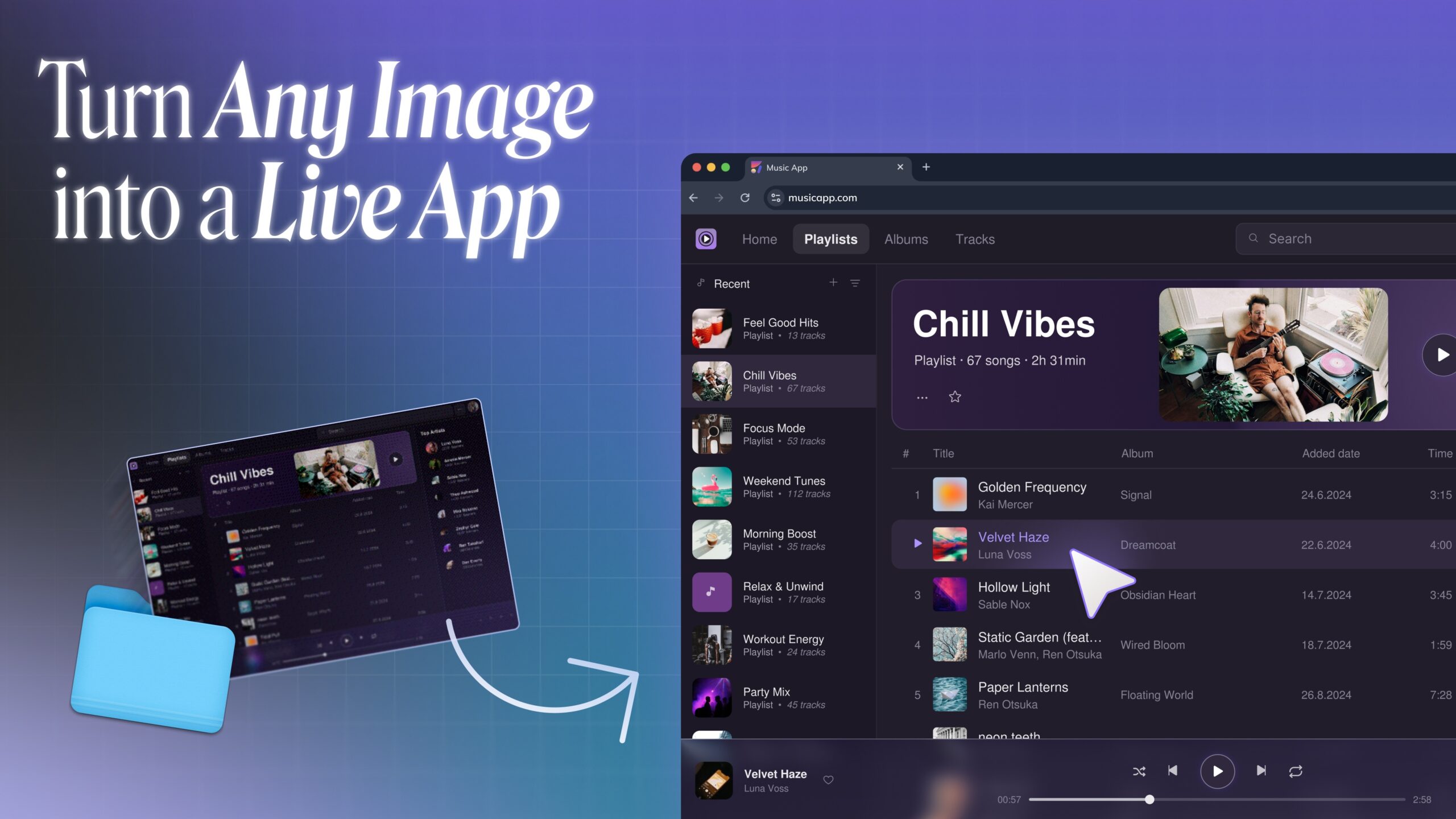
Image to Code: Turn images into live apps7 min read
Reading Time: 6 minutesImage to code means turning a screenshot, mockup, generated image, or visual reference into real frontend code you can preview, edit, and ship. Instead of manually recreating every section in HTML, CSS, or React, you upload the image to Anima Playground, describe what you want, and get a live app foundation in seconds.
If you are searching for screenshot to code, image to HTML, or image to React, the goal is usually the same: take something visual and make it functional. Anima does that in a workflow built for modern product teams, not just a static export.
Try Anima Now
Upload an image, screenshot, or mockup and turn it into a live app with Anima.
What is image to code?
Image to code is the process of turning a flat visual input into a working code package. The image might be a landing page screenshot, a product mockup, an AI-generated concept, an old internal system, or a reference screen you found for inspiration.
The useful part is the delayering. Anima looks at the image and separates what used to be one flat picture into editable parts: text, image assets, layout structure, sections, cards, spacing, and semantic HTML. Then it rebuilds those layers as responsive, dynamic frontend code that you can preview, change, and keep building on.
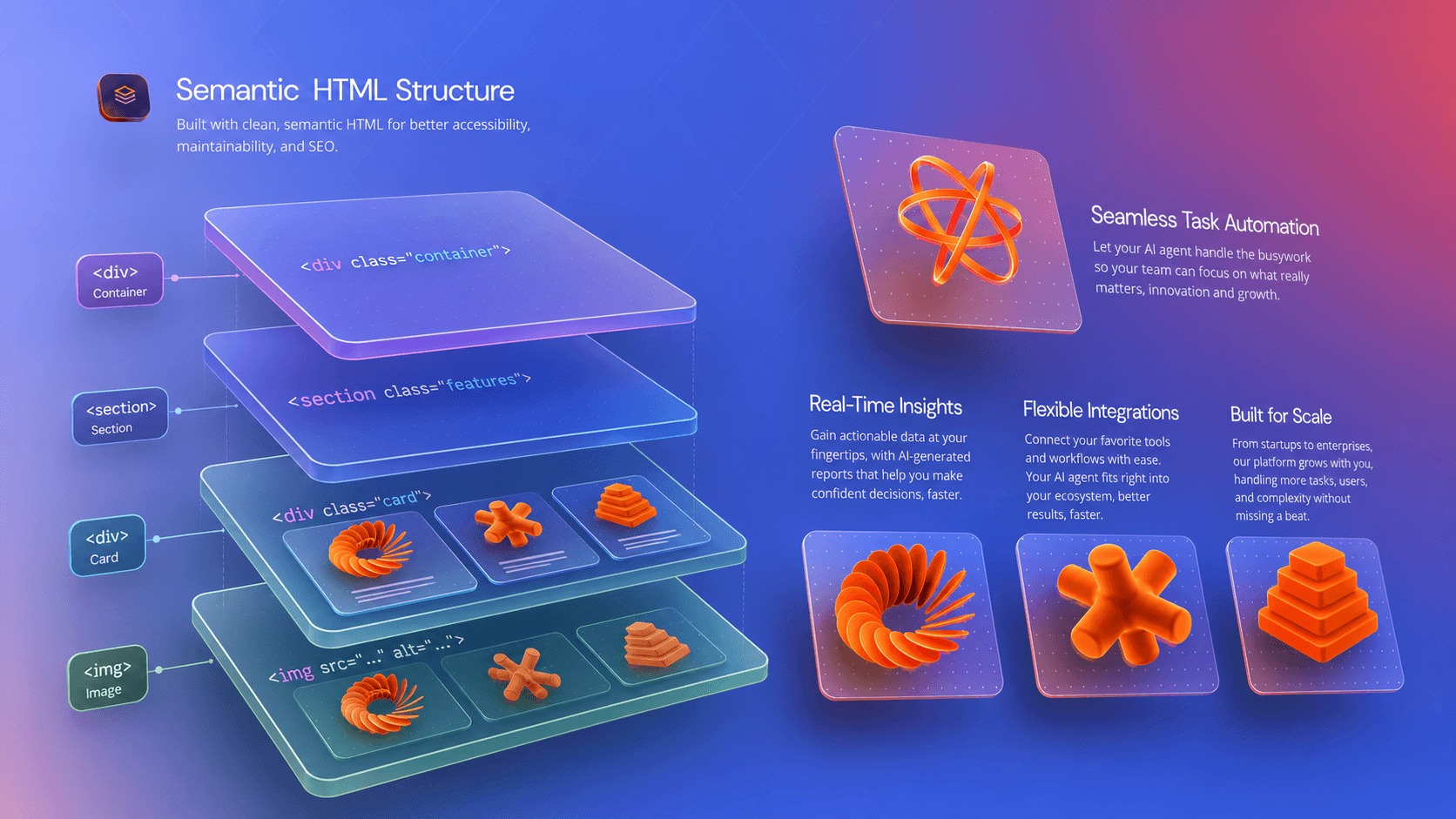
A basic converter can produce rough markup from pixels. A better image to code workflow understands the interface, recreates the structure, includes assets, makes the output responsive, and lets you continue building with AI.
That is where Anima image to HTML and Playground fit. You can start from an image, generate responsive HTML or React, preview the result, refine it by chat, publish it, or export the code when you are ready.
Why image to code matters now
AI changed who can build. You no longer need to be a designer or a developer to start shaping a product idea. A founder, marketer, PM, customer success lead, or ops teammate can begin with a screenshot, a generated image, an old system screen, or a piece of visual inspiration and move toward a working app.
That matters because a lot of real product work starts outside a polished design file. Teams have legacy dashboards they want to modernize, screenshots from tools they admire, rough AI-generated UI concepts, internal workflows trapped in old systems, and ideas that are easier to show than describe.
Image to code turns those references into a live starting point. The output is something you can click, edit, test, share, and hand off, not just another static mockup.
How Anima turns images into live apps
The latest Anima changelog says it simply: drop a screenshot, mockup, or visual idea into Anima and turn it into a working app in seconds.
Anima reads the image, recreates the UI, and generates responsive HTML or React code with assets included. From there, you can preview the result in Playground and keep building on top of it.
- Upload your image. Start with a screenshot, mockup, generated image, or visual reference.
- Add a prompt. Tell Anima what the screen is, what should be interactive, and what you want to change.
- Generate a live app. Anima recreates the UI as responsive frontend code.
- Refine by chat. Ask for layout changes, copy changes, new sections, responsive fixes, or extra pages.
- Publish or export. Share the live result, export HTML, or export React when you are ready to move into production.
From screenshot to HTML, React, or a live app
People describe this workflow in different ways. Sometimes the need is very specific: turn a screenshot into code. Sometimes the next step is technical: generate image to HTML for a page, or image to React for a component-based app. Sometimes the real goal is bigger: take a visual idea and make it live.
Anima supports that full path. If you need HTML, you can generate responsive HTML with assets included. If you need React, you can continue toward a component-based frontend. If you simply need a working prototype, you can stay in Playground, refine the result by chat, and publish a shareable URL.
The image is only the starting point. The real win is turning it into something editable, responsive, and ready for the next product decision.
What you can build from an image
Image to code is useful whenever the fastest way to explain the product is visual.
- Landing pages: turn a screenshot, brand direction, or generated concept into a working page.
- Product screens: recreate dashboards, settings pages, onboarding flows, or checkout screens.
- Client mockups: move from approved visuals to live prototypes without rebuilding everything by hand.
- AI-generated concepts: take a beautiful static image and make it usable.
- Internal tools: sketch the layout, upload it, and turn the structure into a functional starting point.
Why not just hand-code from the screenshot?
You can. Developers have been doing that for years. But it is slow, repetitive work. You inspect spacing, rebuild containers, guess typography, crop assets, recreate responsive rules, then connect the screen to the rest of the app.
Anima removes the mechanical rebuild. It gives you a working foundation first, so your time goes into product decisions: what should change, what should connect to data, what should become reusable, and what should ship.
Why Anima is different from a static converter
A static image to HTML converter usually stops at the first output. Anima is built for the full workflow.
- Live preview: test the page in the browser immediately.
- Responsive output: generate code that adapts across screen sizes.
- HTML or React: choose the code format that fits your next step.
- Assets included: keep the visual details that make the design recognizable.
- Chat-based iteration: keep editing the app after the first generation.
- Publish and share: turn the result into a live URL for teammates, clients, or users.
That is the difference between converting a picture and starting a real build.
Where image to code fits best
Use image to code when your starting point is visual but not structured. That includes screenshots, AI-generated images, old system screens, rough mockups, scans, reference pages, and inspiration from products you admire.
If your source is already a structured design file, a design-to-code workflow may be better because it can read layers, names, components, and tokens. But many teams do not start there. They start with a picture of what they want, or a picture of what they need to replace.
If your source is a live website, use Anima’s clone website workflow instead. A live page can give Anima more structure than a flat screenshot can.
Tips for better screenshot to code results
- Use a clear image. Avoid blurry screenshots when you need accurate text, spacing, or icons.
- Crop to the relevant screen. If you only need one section, upload that section.
- Add intent in the prompt. Tell Anima whether the output should be a landing page, dashboard, app screen, or prototype.
- Call out interactions. If buttons, forms, tabs, or cards should work a specific way, say so.
- Iterate after generation. The first version should be a strong starting point, then you can ask Anima to refine layout, copy, responsiveness, and functionality.
From visual idea to live app
The best image to code workflow is not about replacing designers or developers. It is about removing the blank-canvas and rebuild tax between a visual idea and a working product.
Upload the image, generate the app, refine it by chat, then publish or export. That is the new path from screenshot to code, image to HTML, and image to React.
Try Anima image to code and turn your next image into a live app.
FAQ
What does image to code mean?
Image to code means converting a screenshot, mockup, generated image, or visual reference into working frontend code such as HTML or React.
Can I turn a screenshot into HTML?
Yes. With Anima, you can upload a screenshot or image and generate responsive HTML that you can preview, edit, publish, or export.
Can I turn an image into React?
Yes. Anima can generate React from visual inputs, then you can continue editing the result in Playground or export the code for your project.
Is image to code the same as design to code?
No. design to code starts from structured Figma layers. Image to code starts from a flat visual input like a screenshot or mockup. Both can be useful, depending on what source material you have.
What kinds of images work best?
Clear screenshots, mockups, generated UI concepts, and focused design references work best. Higher clarity usually means better layout, text, and asset recognition.