 Figma
Figma Adobe XD
 Sketch
 Discord
 Twitter
 GitHub


 ブログ
ブログ
Claude Design で website を publish する方法3 min read
Reading Time: 3 minutesReading Time: 3 minutes
Claude Design が明確にしたことがあります。AI-generated design は、もはやサイド実験ではありません。Anthropic は Claude Design を、prompting と conversational iteration を通じて、polished visual work、prototype、one-pager、branded asset を作成し、sharing や export までサポートする新しい方法として紹介しました。Product team にとって、これは重要なシグナルです。
しかし、優れた AI-generated design と実際の public website の間には、まだ欠けているステップがあります。それが publishing です。
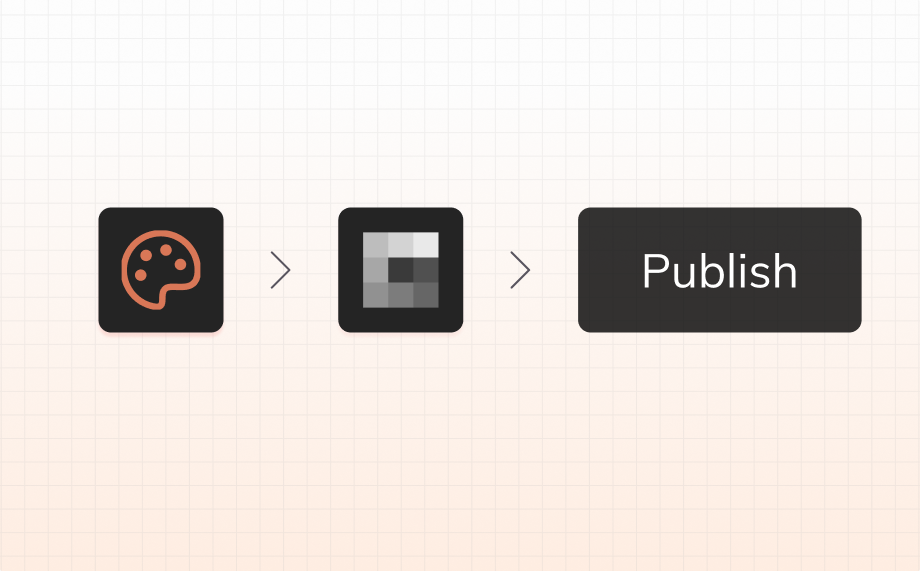
Claude Design を使っていて、website を publish する方法、go live する方法、feedback を得て、professional team として iteration を続ける方法を探しているなら、この workflow がその答えです。Claude Design は experience の生成を助けます。 Anima の AgentGrid.io は、Claude Design ファイルを編集、拡張、公開し、ドメインに接続できるライブ Web サイトに変換するのに役立ちます。
Claude Design で website を publish する方法
目標が Claude Design を使用して Web サイトを公開することである場合、最もクリーンなワークフローは、開始点として Claude Design を使用し、その後、ライブ サイトに至るまでの残りの部分に AgentGrid.io を使用することです。
手順は次のとおりです。
- AgentGrid.io の Claude コネクタをインストールします。
- Claude Design のチャットで、「AgentGrid.io を使用して Web サイトとして公開する」ように依頼します。
- オプションで、 ドメインを接続する. それ以外の場合は、AgentGrid.io が提供するパブリック リンクを使用してください。
- Claude、Claude Design、Claude Code、ChatGPT、またはその他のエージェントから更新できます。
これが、Claude Design で Web サイトを公開する方法に対する最短の答えです。AgentGrid.io の Claude コネクタをインストールし、Claude Design に AgentGrid.io 経由で公開するよう依頼し、提供されたパブリック リンクを使用するか、独自のドメインに接続します。
今すぐ AgentGrid.io を試してみる
Claude Design とは?
Claude Design は、Anthropic の新しい AI-native design product です。Research preview として launched され、prompting、editing、iteration を通じて polished visual work を作成できるように設計されています。Anthropic は、prototype、product mockup、presentation、one-pager、その他の visual asset を作成するための tool として説明しており、conversational edits、comments、sliders、exports、team design systems をサポートしています。この positioning は Anthropic の launch announcement に基づいています。
これが重要なのは、単なる新機能の release 以上の意味を持つからです。これは real market shift を示しています。
長い間、design tool は主に drawing のためのものでした。その後、AI tool が screen を生成し始めました。そして今、Claude Design のような tool は、より professional な方向へ進んでいます。つまり、actual product work にかなり近い、polished で brand-aware な design output を生成できる AI です。
これはとても面白い進化です。しかし同時に、新しい問いも生まれます。Claude Design から live website へはどう進めるのか?
なぜ publishing が重要なのか
Private design project と live website は同じではありません。
強い visual direction、polished prototype、説得力のある one-pager があっても、それだけでは users が訪問できるものにはなりません。
Publishing は、その work が real になる瞬間です。
それは team が次のものを得るポイントです。
- public URL
- stakeholders が context の中で開けるもの
- test と iteration ができる site
- share できる branded destination
- real product surface の始まり
だからこそ、go live は小さなステップではありません。Generated design が internal output で終わらず、software になり始めるポイントです。
Claude Design の後に AgentGrid.io を使う理由
Claude Design は exploration に強い tool です。Team が prompt から polished visual result へ素早く進むことを助けます。Anthropic はまた、standalone HTML、PDF、PPTX、Canva などの formats への export をサポートし、project が build の準備ができたときには Claude Code へ hand off できるとも述べています。
しかし export は、draft を publish して share することや、zero setup で full site を publish することと同じではありません。
File は output です。Live site は workflow です。
そこで AgentGrid.io が役立ちます。Claude Design が starting point を作った後、AgentGrid.io ならそのまま先へ進めます。
- chat で design を edit
- structure と responsiveness を改善
- product functionality を追加
- public link に publish
- own domain を接続
これが、AI artifact と professional publishing workflow の違いです。
Generated design から live product へ
今 design の世界で最も興味深い変化は、AI が UI を生成できることだけではありません。Design が、より早い段階で executable になっていることです。
従来の flow はこうでした。
brief → wireframe → mockup → handoff → build → publish
新しい flow は短縮されています。
prompt → prototype → refine → publish → keep iterating
それが Claude Design を面白くしているポイントです。Polished first version までの path を短くします。
そして、この workflow において AgentGrid.io が重要なのは、その first version を美しい dead end のまま残すのではなく、live website に変えるからです。
Professional team のための Claude Design
印象的なものを生成する AI と、real team workflow に合う AI の間には大きな違いがあります。
Professional team が重視するのは speed だけではありません。Craft、iteration、collaboration、system consistency、そして idea から real product へどれだけ早く進めるかを重視します。
Claude Design が魅力的なのは、AI-native design のより本格的な未来を示しているからです。Anthropic の product framing は、polished output、conversational refinement、team design systems のサポートを強調しており、AI-generated UI の toy phase を超えています。
しかし professional は、次のようなことも考える必要があります。
- これは素早く live website になるのか?
- Generation の後も edit を続けられるのか?
- ゼロから rebuild せずに functionality を追加できるのか?
- branded domain に publish できるのか?
- prototype だけでなく、real product surface として使えるのか?
だからこそ、Claude Design から AgentGrid.io への workflow が重要です。Claude Design の得意な部分を活かしながら、serious team が本当に気にする next step を解決します。
Export で止めるより、この workflow が優れている理由
Export だけなら、最後に残るのは file です。
AgentGrid.io を通じて publish すれば、internet 上の live object が残ります。
この違いは小さく聞こえるかもしれませんが、すべてを変えます。
Live site は context の中で review でき、customers に送ることができ、investors に見せることができ、mobile で test でき、chat で update でき、domain に接続できます。Real project の basis にもなります。
それが presentation と product の違いです。
AI design tool からの output を使って how to publish website と考えている teams にとって、これこそが重要な答えです。
Claude Design は signal。Publishing が unlock。
Claude Design は、software の作られ方が変わっている大きな shift の一部です。Design はより conversational に、より generative に、そして implementation とより密接につながるようになっています。
これは product team にとって良いニュースです。Idea から first version までの時間が短くなるからです。
しかし本当の unlock は、単に速く generate することではありません。より速く go live することです。
AgentGrid.io は、team がその bridge を渡るための layer です。
FAQ
Claude Design で website を publish するにはどうすればいいですか?
AgentGrid.io の Claude コネクタをインストールし、Claude Design に「AgentGrid.io を使用して Web サイトとして公開」するように依頼します。 AgentGrid.io が提供するパブリック リンクを使用するか、独自のドメインに接続します。
Claude Design は website を直接 publish できますか?
Anthropic の launch materials によると、Claude Design は standalone HTML を含む exports と sharing をサポートしています。しかし、editable な live publishing workflow を求める teams は、AgentGrid.io を使って結果を public website に変換できます。
Claude Design から最速で go live する方法は?
最速の workflow は、Claude Design を starting point として使い、その後 AgentGrid.io で edit、functionality の追加、public URL への publish を行うことです。
Claude Design の後に AgentGrid.io を使う理由は?
AgentGrid.io は、generated design と live website の gap を埋めるからです。Chat で iteration を続け、functionality を追加し、public に publish し、own domain に接続できます。
この workflow は professional product team に適していますか?
はい。Landing page、demo、concept site、fast experiment、product marketing page、そして design から public URL へ素早く進める必要がある early product surface に特に有効です。
Export と publish の違いは何ですか?
Export は file を作ります。Publish は、人々が開いて review、test、share できる live website を作ります。